Every last-minute driver change became a support ticket
I redesigned gate-in so the team standing next to the truck could fix it themselves.
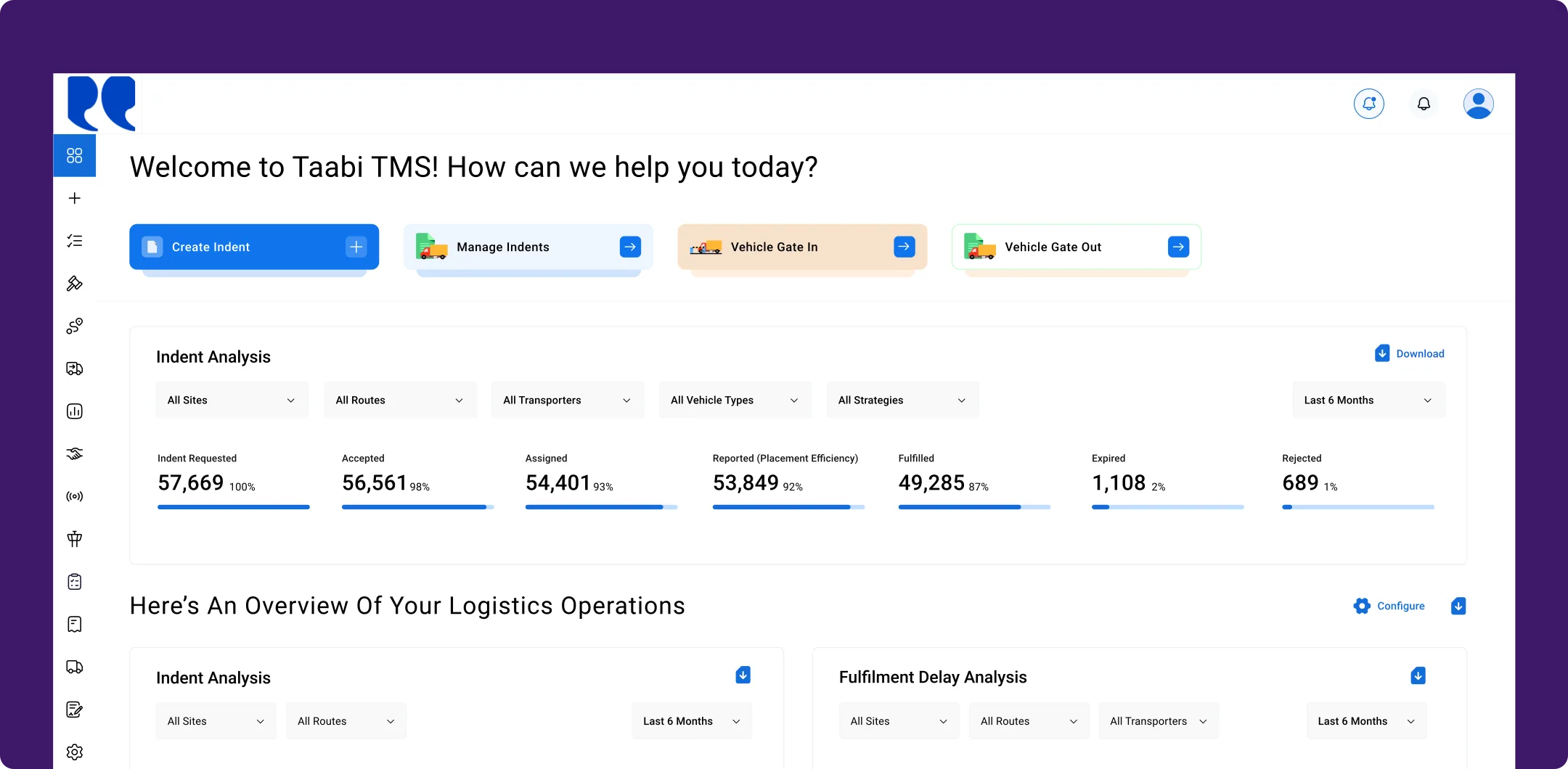
| Problem discovery | Looked at the physical gate-in process on-site and found who actually did the work |
|---|---|
| End-to-end design | Extended editing window, vehicle details in the indent, web gate-in from the dashboard, inspection sheet on web and mobile |
| Delivery | Worked with 1 PM and 1 engineer from problem to release |
Truck details locked the moment it entered the gate
The terms on this page
- Indent
- An enterprise’s request for a truck. A transporter accepts it and assigns a vehicle and driver.
- Gate-in
- The truck arrives at the site and is checked in at the gate before loading.
- Gate-out
- The loaded truck is checked out and leaves the site.
Both the enterprise and the transporter could edit vehicle details, like the vehicle number and the driver’s phone, until the truck reached the origin. Once it completed gate-in, those details were locked.
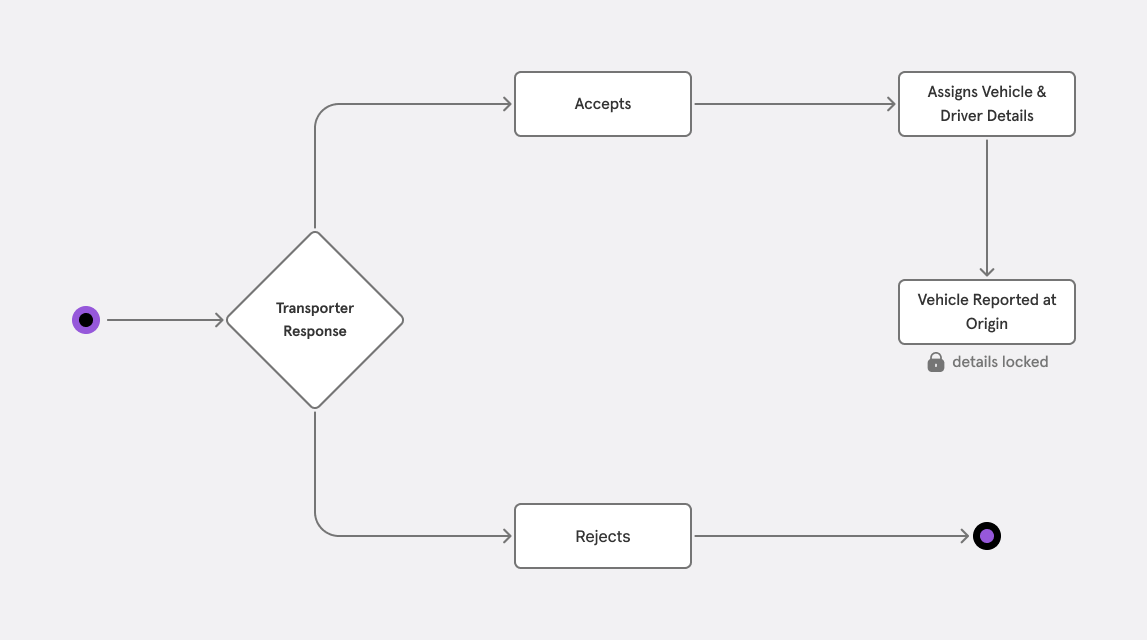
Before: details stayed editable only up to the origin, then locked at gate-in.
But details often changed at the last moment:
Drivers changed shortly before loading
SIM-tracking consent failed, so the vehicle couldn’t be tracked
Transporters substituted vehicles at the loading location
Transporters entered wrong vehicle or driver details
Every fix needed our operations team to change it in the backend: 4–6 tickets a day, while loading waited.
We designed for security guards. Logistics teams were doing the work.
We had designed gate-in assuming the security team would do it on a phone. On-site, it was often the logistics team, the same people already inspecting the vehicle.
So I rethought gate-in as a verification step owned by the enterprise, not a security checkpoint.
Details stay editable until the truck leaves
I extended the editing window from gate-in to gate-out, so the on-site team can fix driver changes, vehicle swaps, wrong entries and tracking consent before the truck leaves the origin.
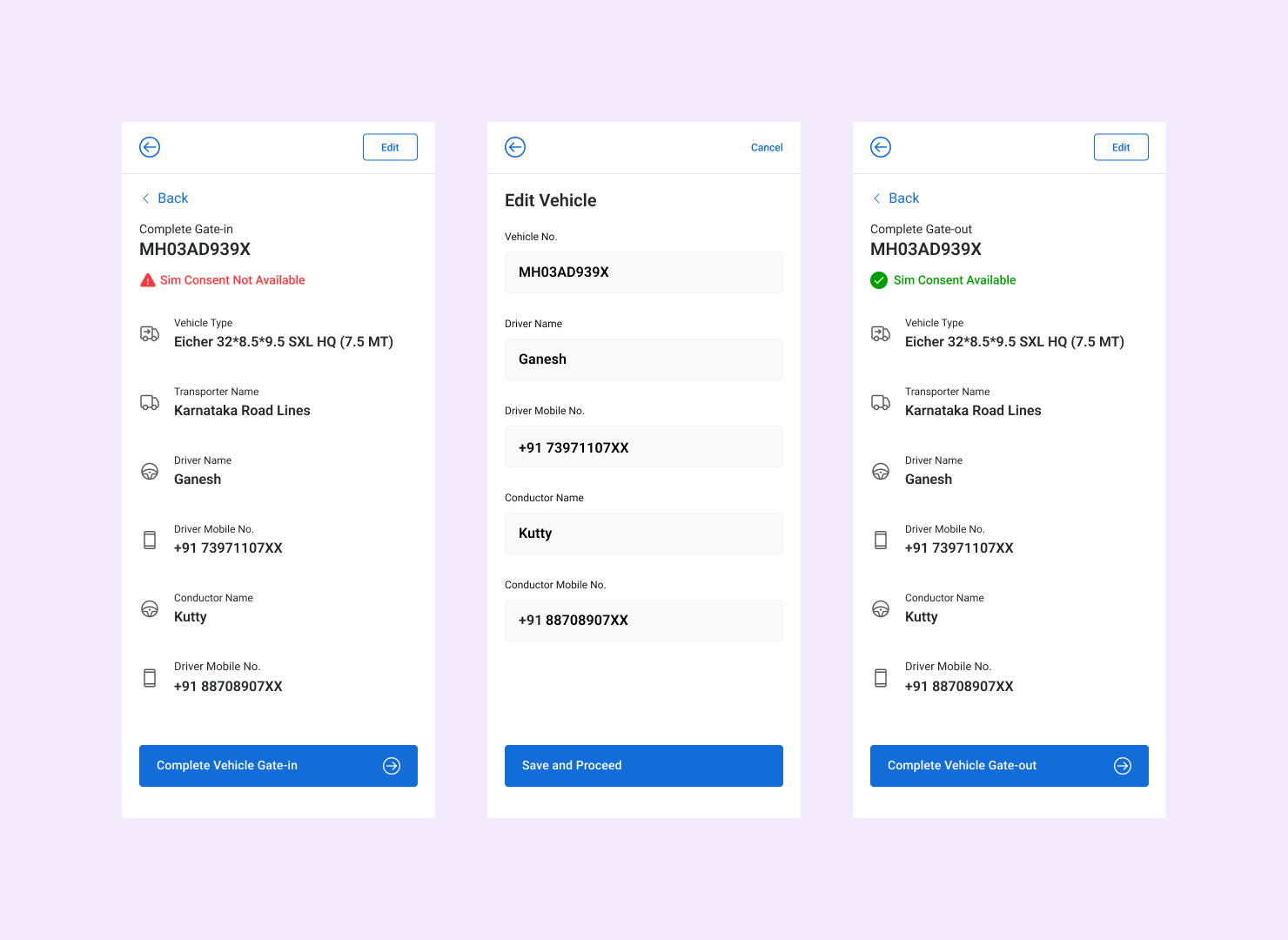
Details now lock only at gate-out. Exception handling moved from our ops team to the people managing the vehicle.
Gate-in moved to the web, where the team already works
Since the logistics team was often doing gate-in themselves, I brought the mobile flow into the web platform.
Vehicle and gate status inside the indent
The redesigned Vehicle Details tab brings assignment, driver, tracking, documents and gate status into one place, next to the shipment timeline.
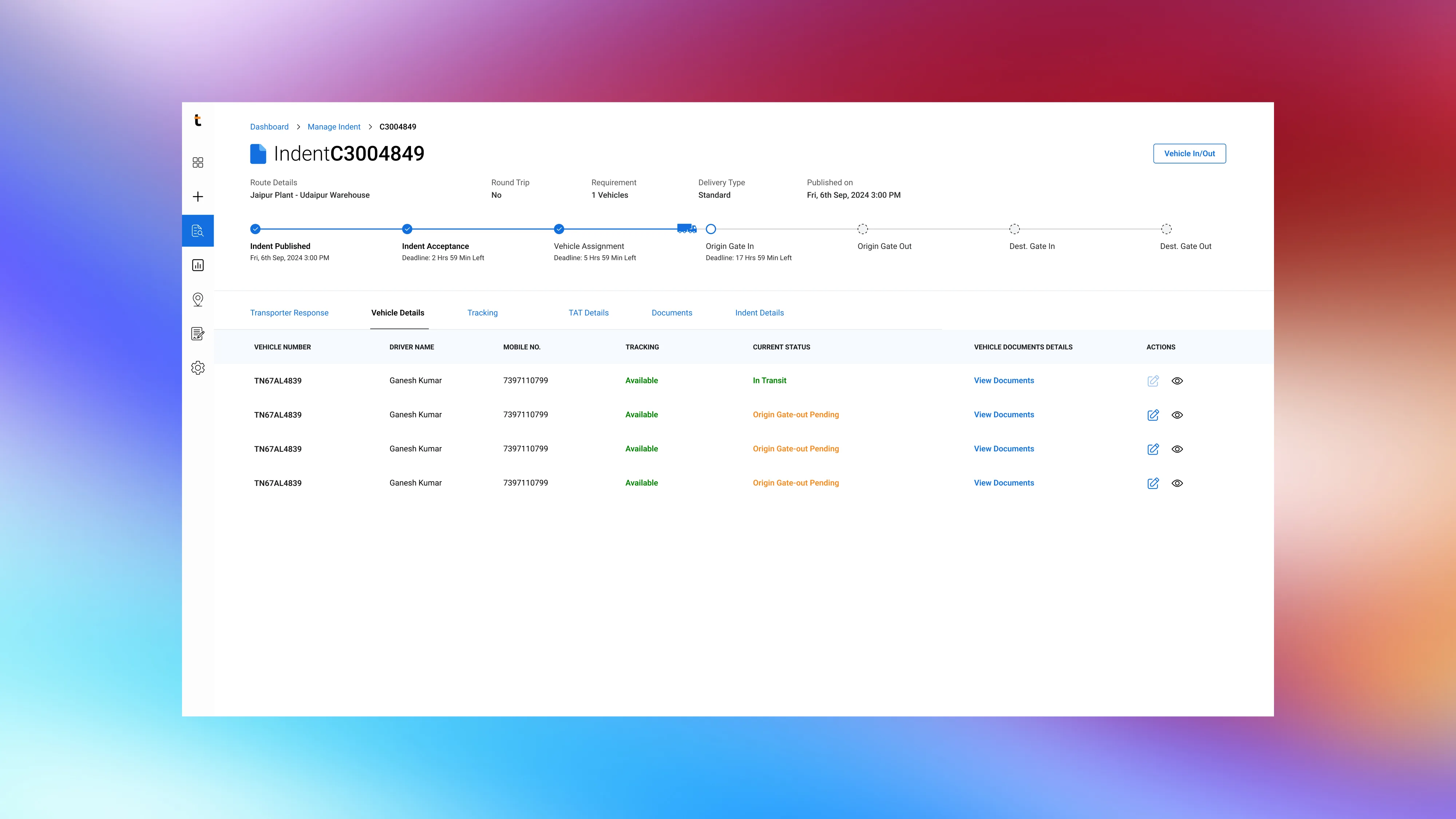
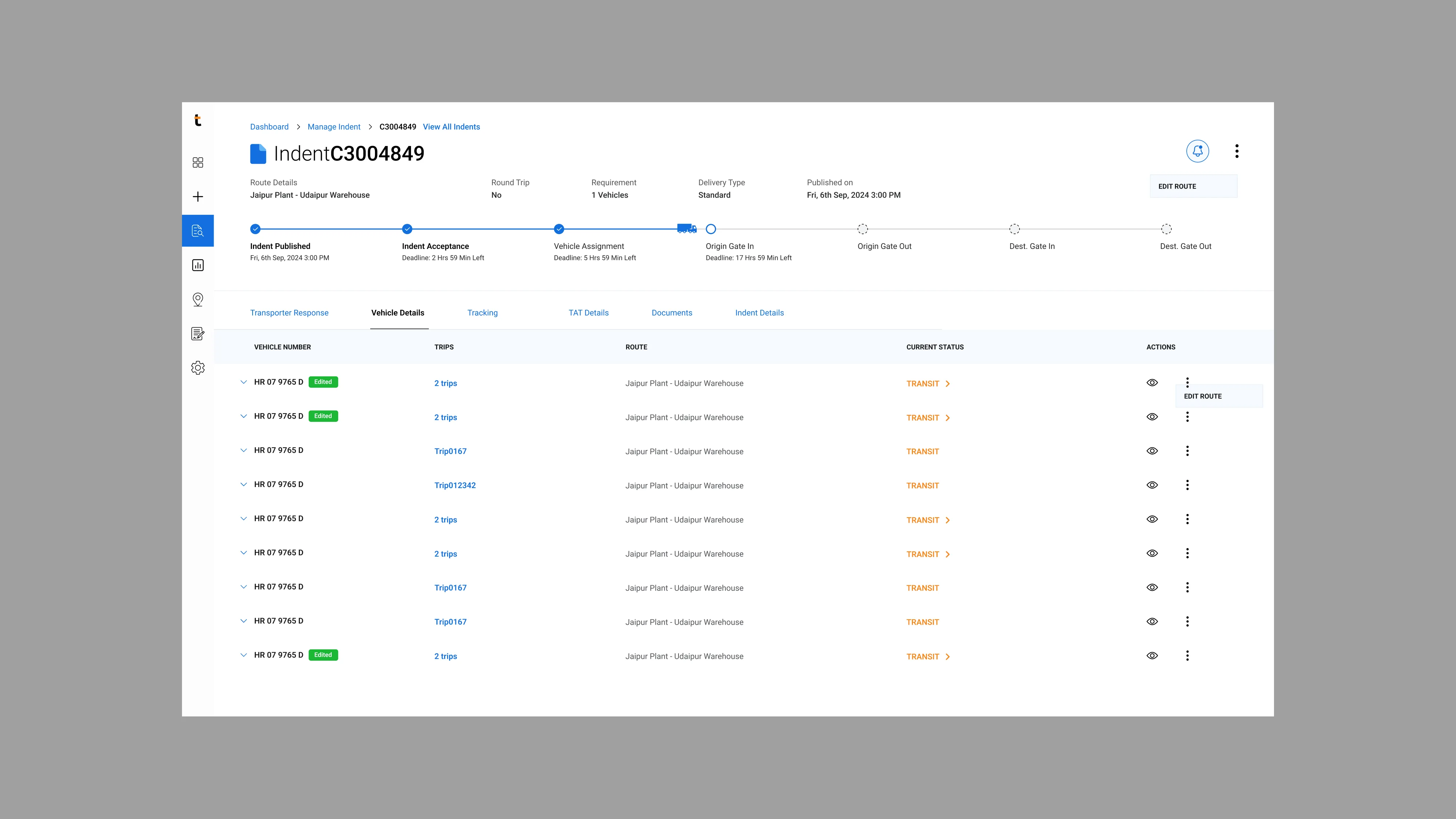
Vehicle Details tab: before vs after
Gate-in on every vehicle: dropped
The idea
A gate-in action on each vehicle, inside the trip and Manage Indent pages.
Why we dropped it
Too many clicks. You had to open the indent, then find the vehicle, every time.
What we did instead
One common gate-in on the main dashboard, with the inspection sheet built in.
One gate-in entry on the dashboard
Gate-in and gate-out now start from the main dashboard. No need to open an indent first.
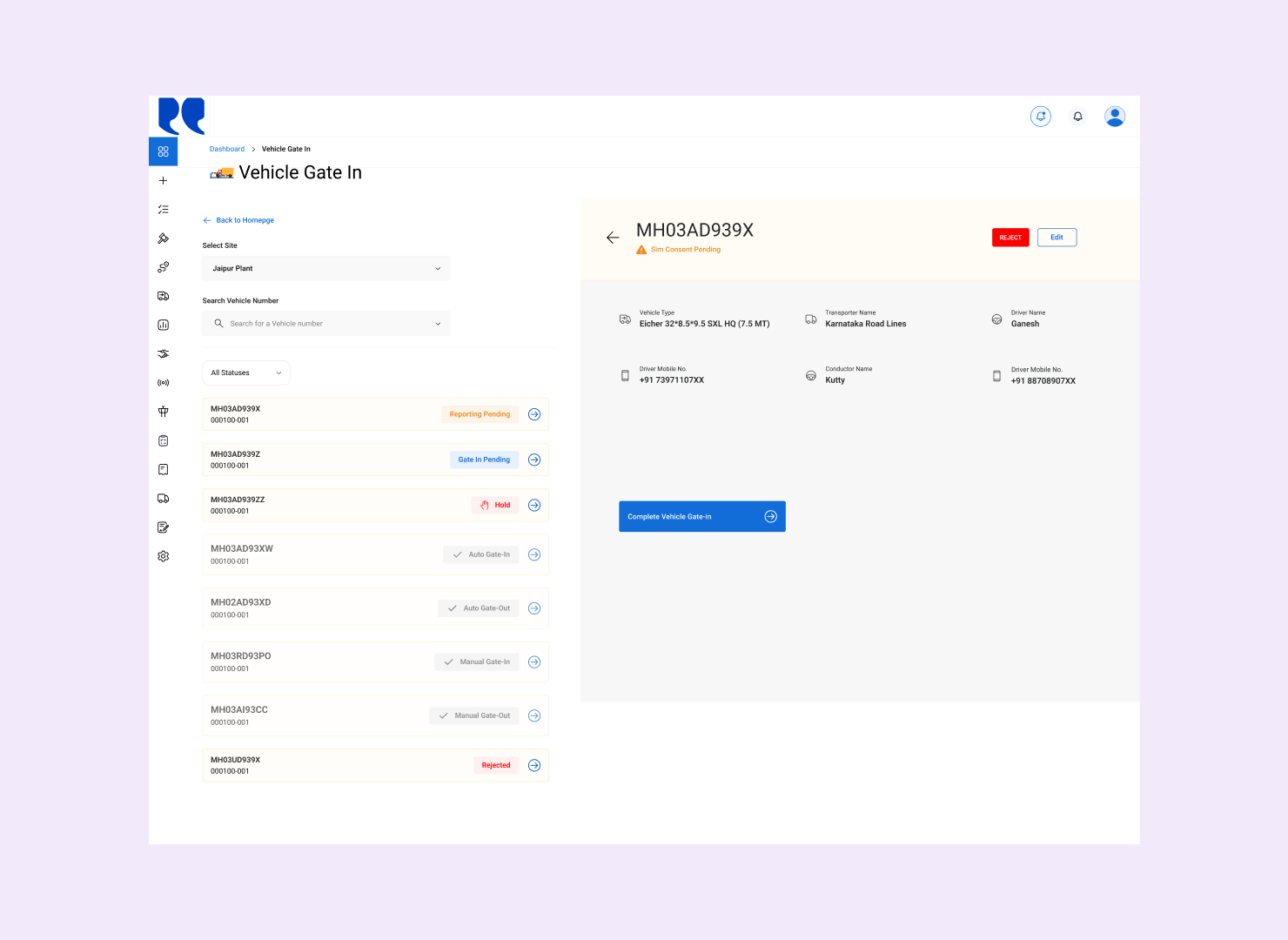
Gate-in from the web dashboard
Unfit trucks are stopped at the gate itself
Enterprises asked for a way to inspect vehicles at the gate, so I built a configurable inspection sheet. Questions are set per site, for loading or unloading.
The logistics team answers them during gate-in, with remarks and photos. Mandatory questions must be completed before confirming, and the record stays with the vehicle’s movement.
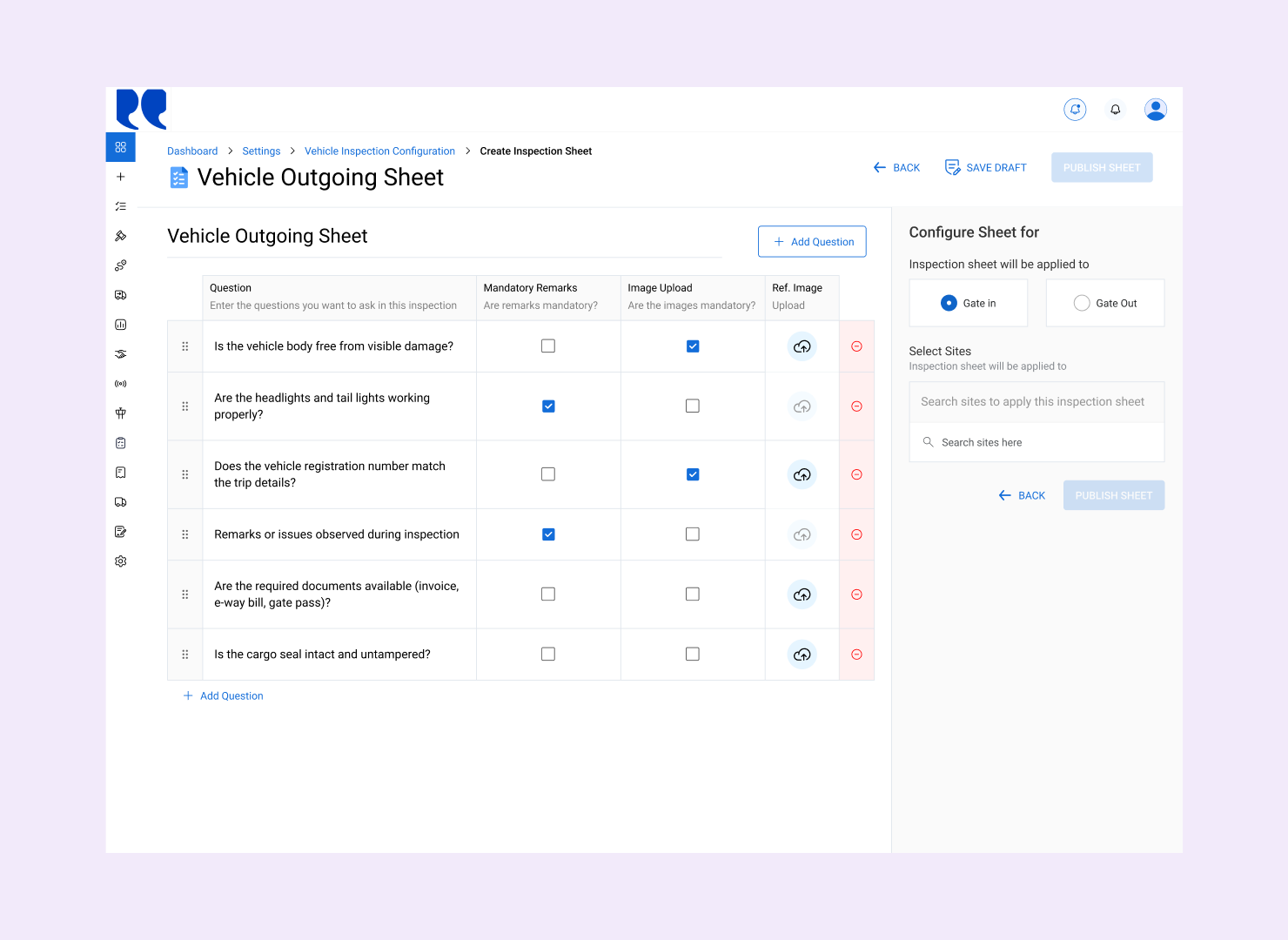
Configuring an inspection sheet
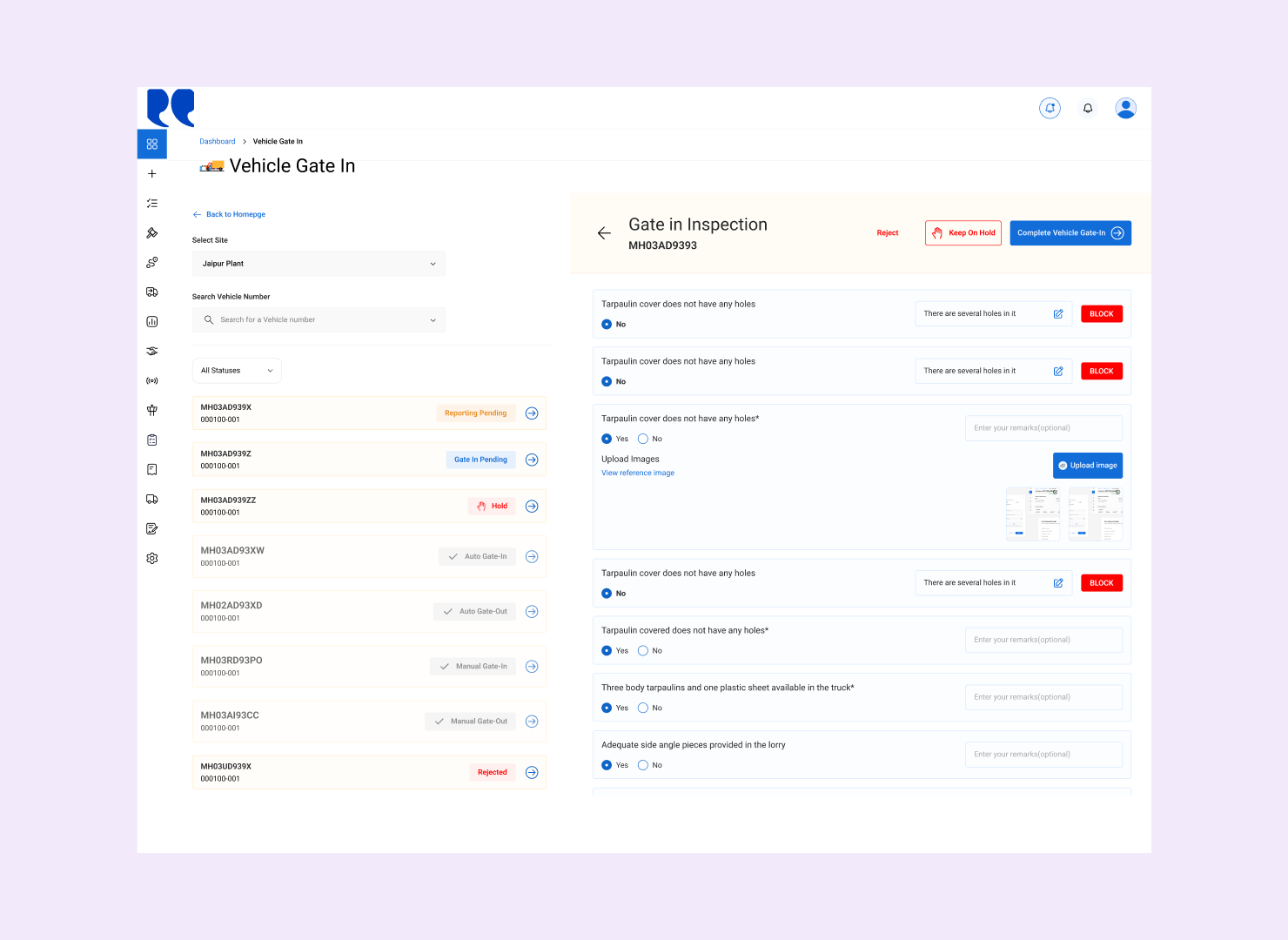
Inspection sheet during gate-in (web)
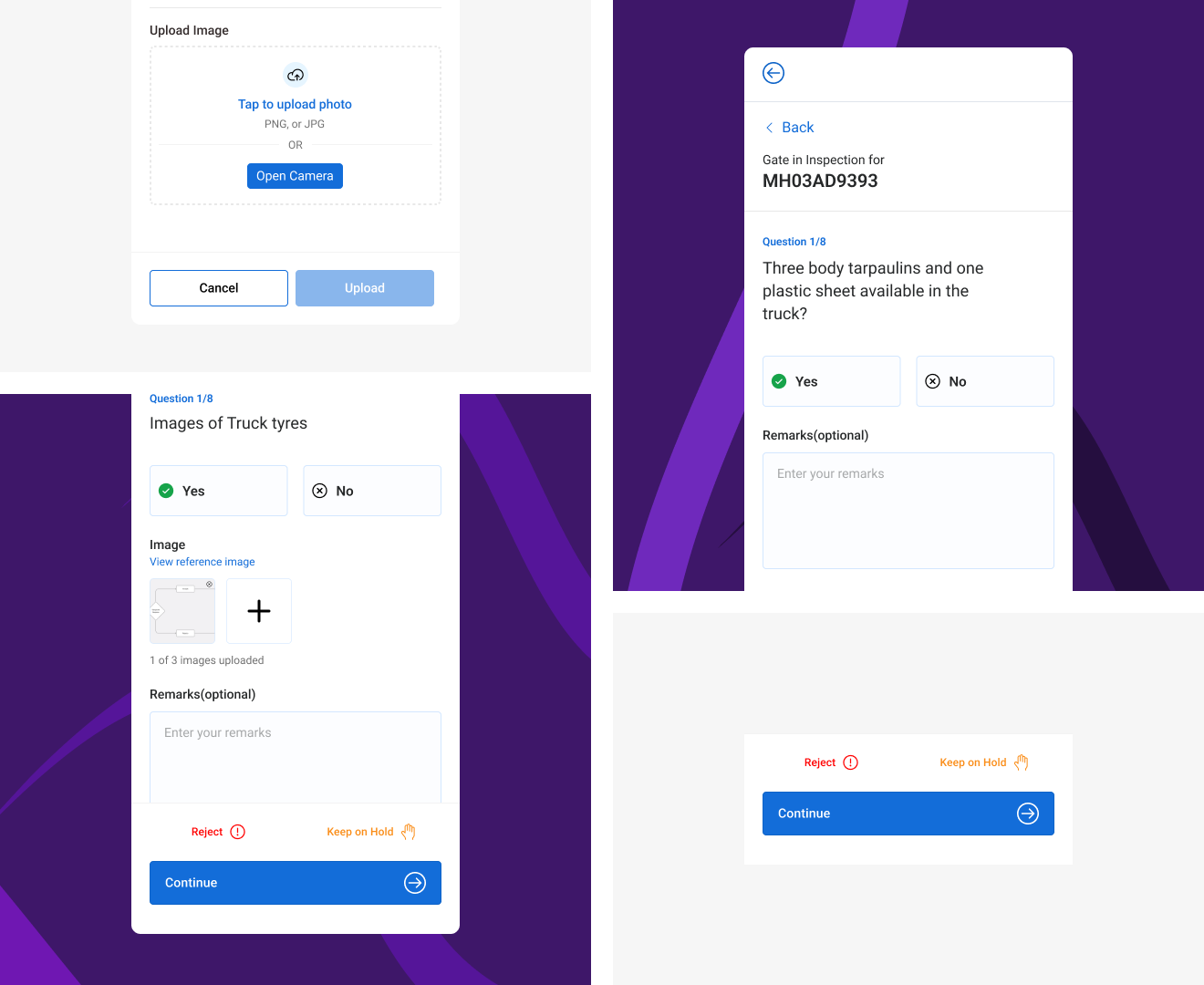
Inspection sheet during gate-in (mobile)
Change-request tickets
4–6 a day → ~2 a week
95% lowerLoading turnaround is 60% faster, and enterprises fix last-minute vehicle changes themselves, at the gate.
| Before | After | |
| Fixing vehicle details | A ticket to our ops team | On-site team edits until gate-out |
| Change-request tickets | 4–6 a day | 95% fewer |
| Where gate-in happens | Mobile, built for security | Web dashboard and mobile |
| Loading turnaround | Waited on backend fixes | 60% faster |
What it taught me
The assumed user and the actual user aren’t always the same
Gate-in was designed around the security team, but on the ground the logistics team did it, often from a shared device. Now I check who actually does the work early in any workflow redesign.
Reducing dependency doesn’t mean reducing control
The easy fix was fewer checks. Instead, I moved exception handling to the team next to the vehicle, and kept it auditable with inspections, remarks and photos.
Next case study
Spot Bid Approval
The lowest bid won automatically. Nobody approved it.