The lowest bid won automatically. Nobody approved it.
I designed the approval step between a spot bid closing and a transporter getting the job.
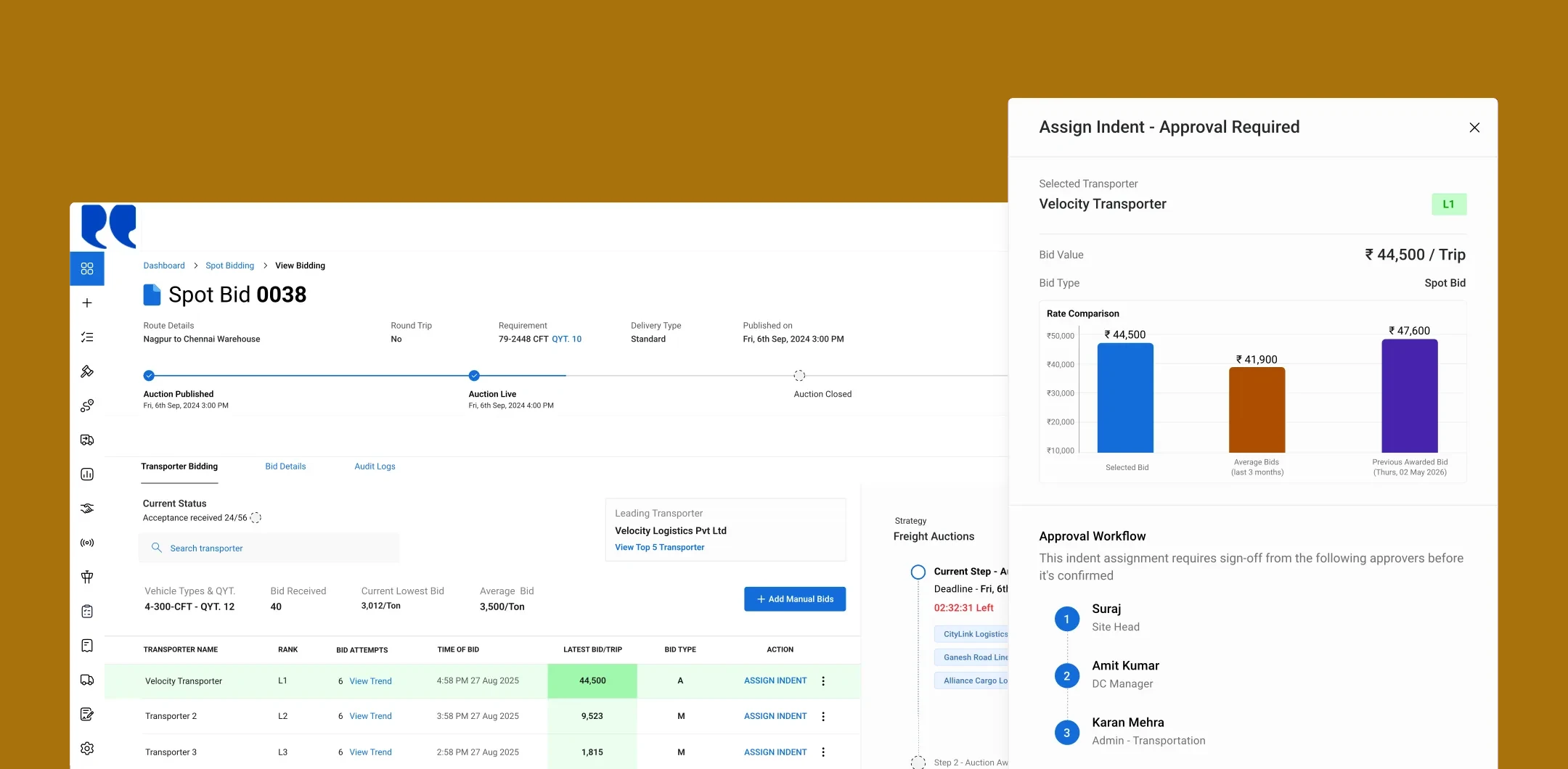
Approvers see the selected bid against the lane’s recent average and the last awarded bid
| UI/UX Redesign | Designed the approval step from scratch as the sole designer: workspace, actions, revisions and status |
|---|---|
| Workflow structure | Approve / return / reject, the revision model, manual bids with proof, and the approval hierarchy settings |
| Prototyping | Prototyped the full workflow and demoed it to enterprise customers |
Spot bids went straight to the lowest bidder
The terms on this page
- Indent
- An enterprise’s request for a truck, normally served by a contracted transporter.
- Spot bid
- A short reverse auction, 10 minutes to 2 hours, run when the contracted transporter has no truck.
- Approval chain
- Up to five approvers, set per site and bid value, who sign off in sequence.
Spot bidding already existed: the requestor runs a short auction, and the winner takes the indent. What didn’t exist was any check on that last step. The client asked for an approval gate, and I designed it from scratch.
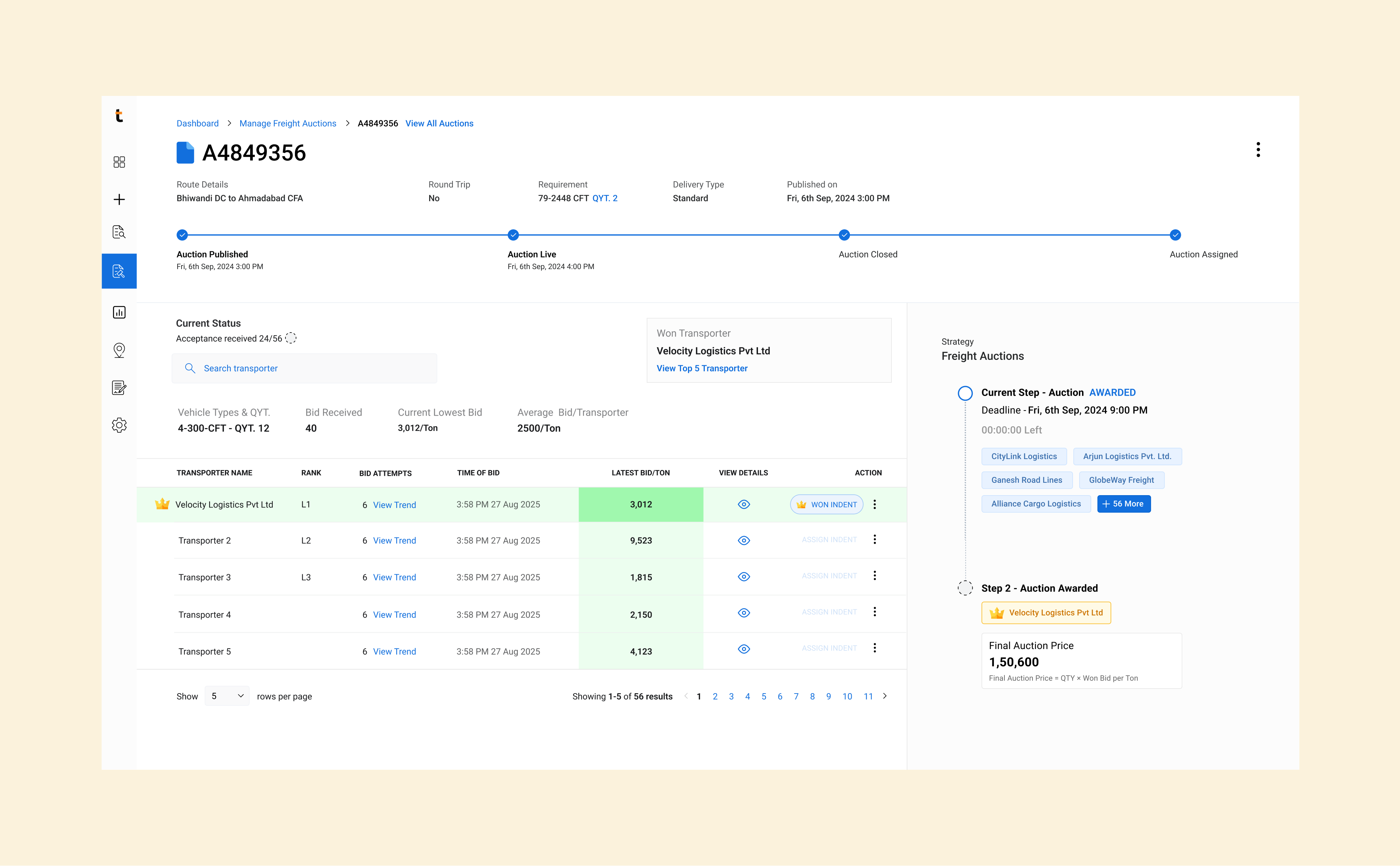
Before: the auction closed straight to Won Indent.
Price alone isn’t enough to approve a bid
“Once the bidding window closes, send the selected bid to the appropriate approvers.”
The client’s request
But an approver can’t decide from one rate.
Before approving, an approver needs to
Review it with senior stakeholders
Compare it with other transporters’ bids
Check historical rates on the lane
A side sheet couldn’t hold the decision
What I built
The approval action on a side sheet, so approvers could act without leaving the auction view.
What was wrong
It only fit the essentials and hid every other bid, so approvers had nothing to compare against.
What I did instead
Moved the whole decision into its own tab.
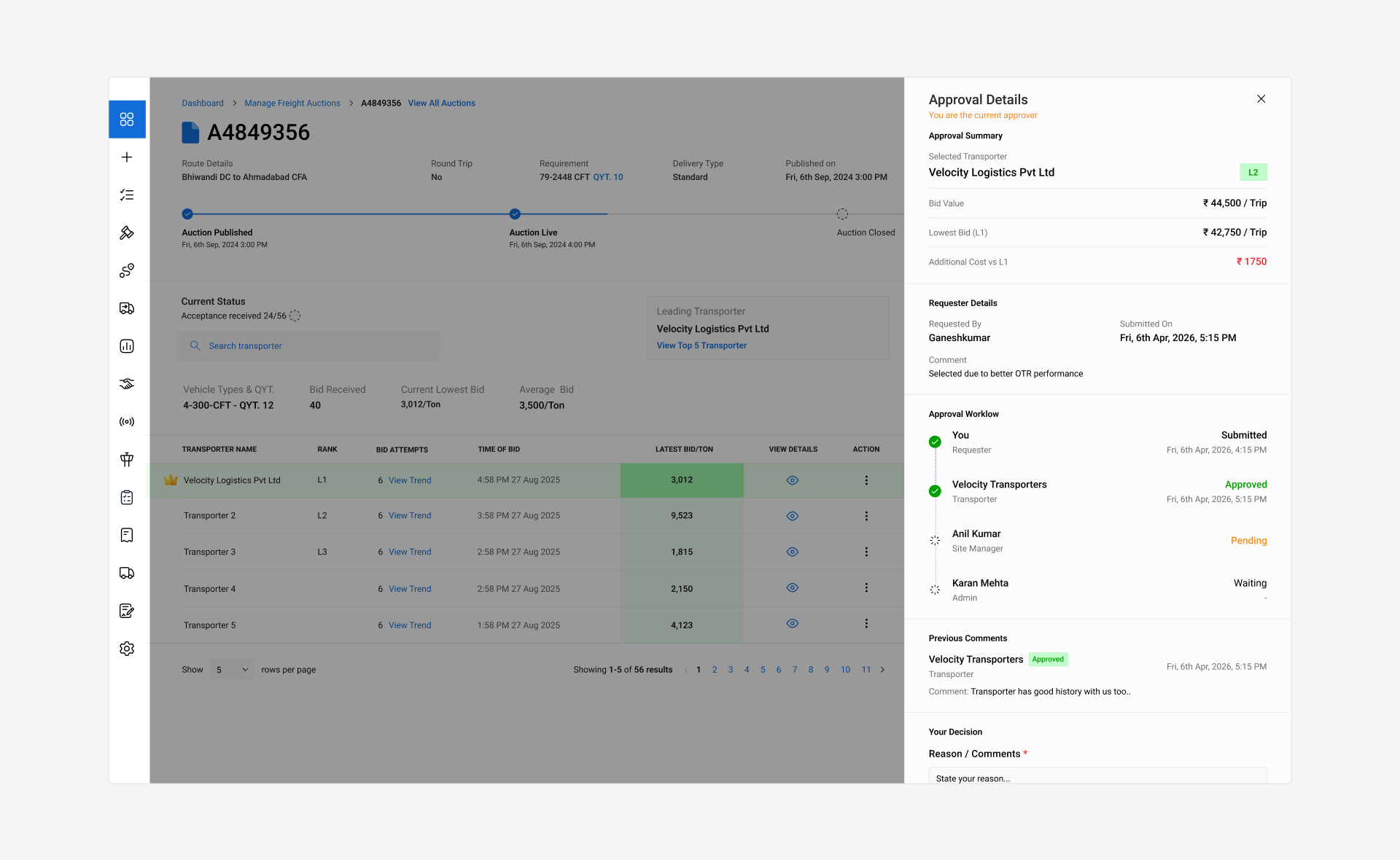
V1: an approval buried in a panel.
Every approval gets its own tab
The Approval Workflow tab puts the summary, the rate comparison and the full history on one screen.
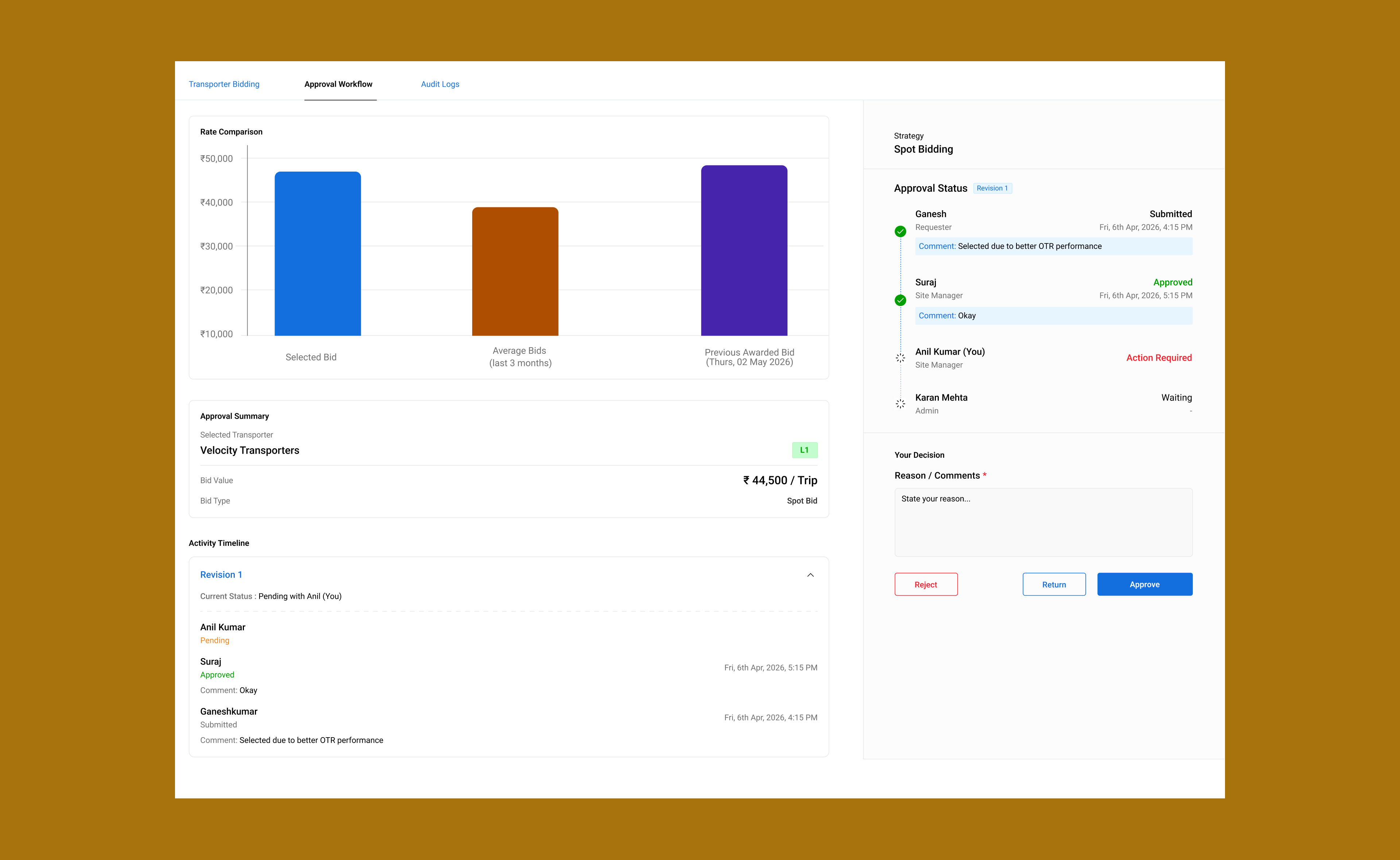
01 Approval summary
What the approver has to decide, and what already happened before it reached them.
02 Rate comparison
A bar chart of the selected bid against the lane’s average awarded spot bid and the previous awarded bid.
03 Activity timeline
Every step of the spot bid, latest first, so nobody has to piece the story together.
Return isn’t reject

One screen, three actions
Approve, Return and Reject. Return means the decision continues with a different transporter. Reject closes the spot bid.
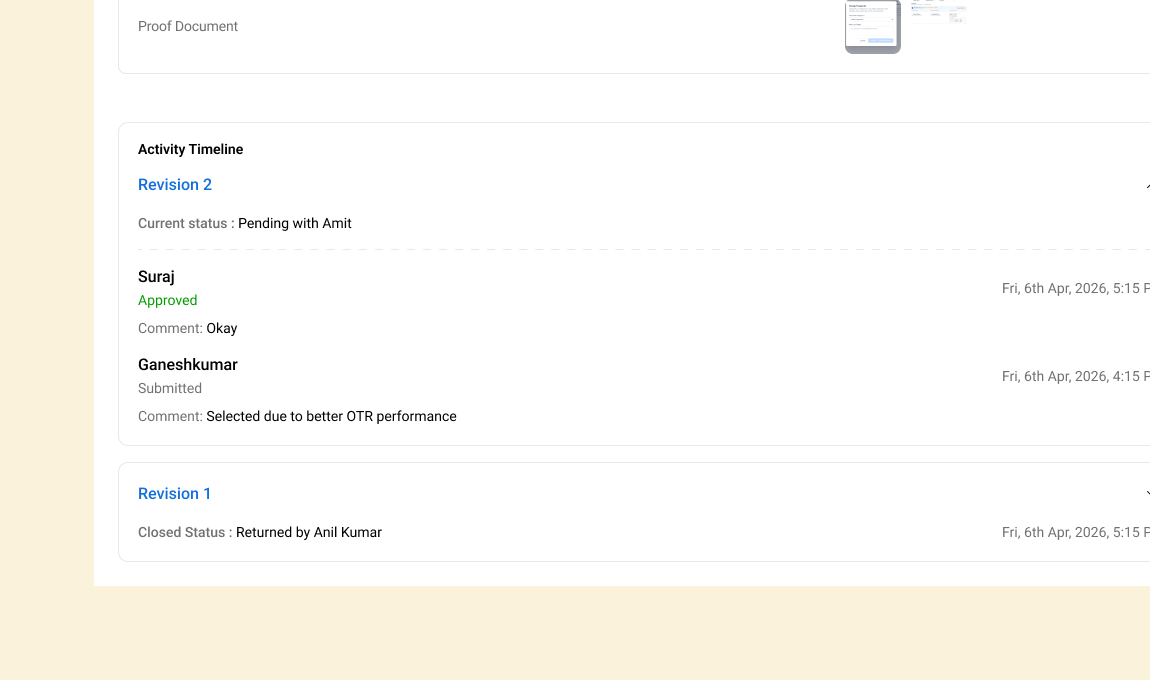
Returns become revisions
A return closes the current approval cycle, and resubmitting starts a new revision. Nothing is overwritten, so every change in the decision stays traceable.
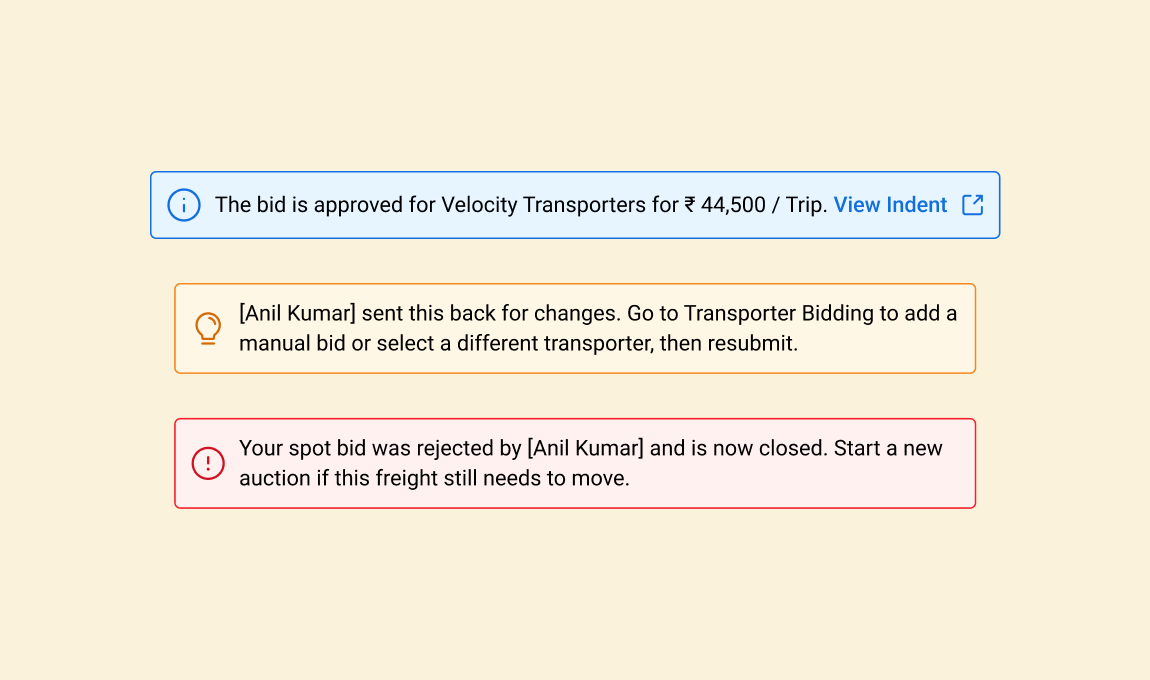
Status you can scan
Color-coded status messages, always paired with text, so nobody has to rely on color alone.
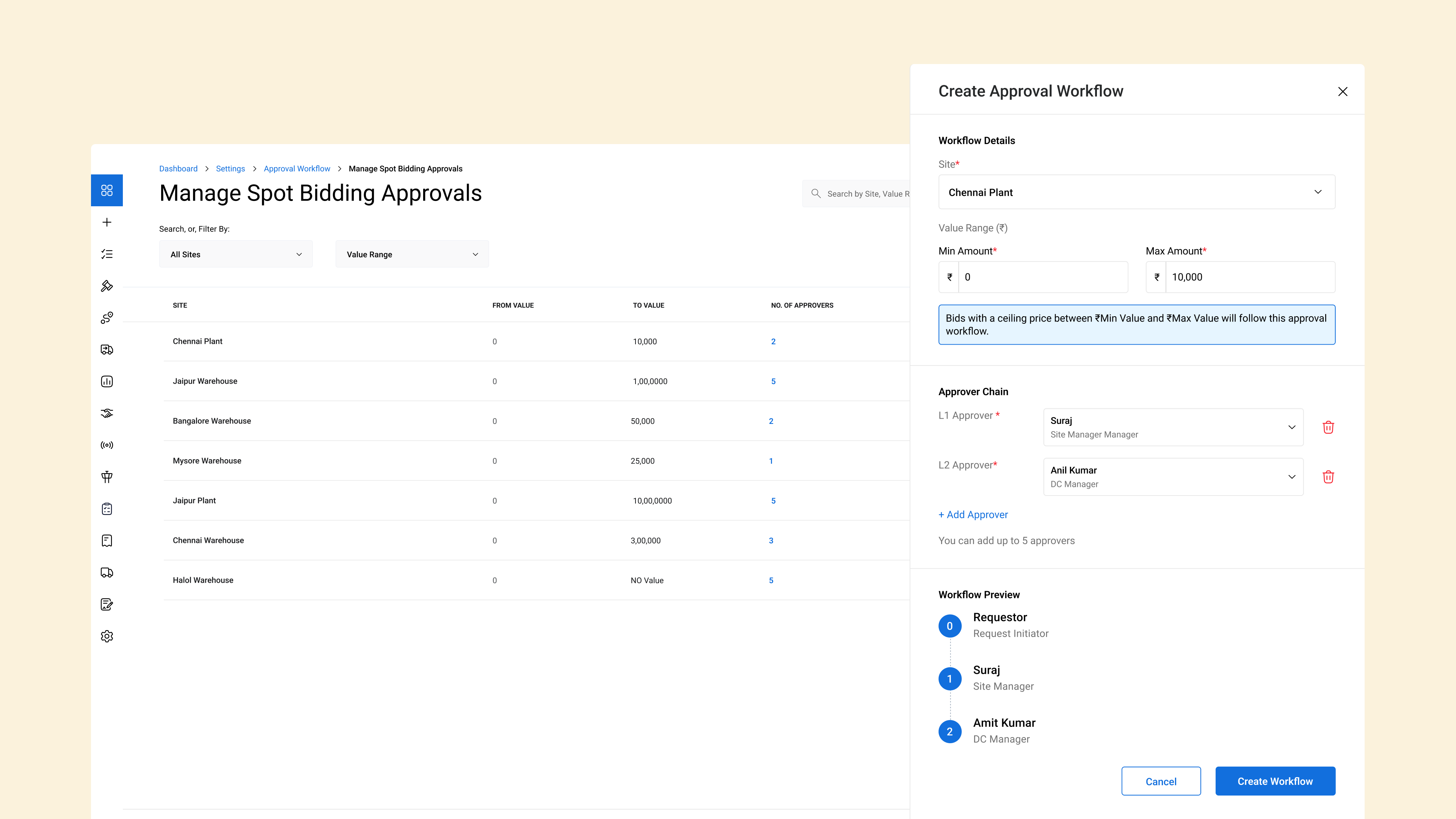
Admins decide who approves what
In settings, an admin sets a value range per site and assigns up to five approvers in sequence. Access is restricted, so whoever is approving that day can’t edit the chain.
Customers wanted to award transporters who never bid
We prototyped the full workflow and demoed it to enterprise customers. They sometimes wanted to award the spot bid to a transporter who wasn’t the winner:
Transporters who can now be awarded
Bid, but wasn’t selected
Invited, but didn’t bid
Never invited
And all three were negotiated offline.
Proof, not a transporter’s yes
The idea
The enterprise enters the negotiated rate, and the transporter accepts it before approval continues.
Why we dropped it
It delayed every approval and made the transporter a dependency in an enterprise process.
What we did instead
A proof-document upload in the Add Manual Bid form.
A call with the enterprise answered the real question: how do they validate an offline negotiation today? With an official statement or document. The proof upload keeps that same confirmation, with no added wait.
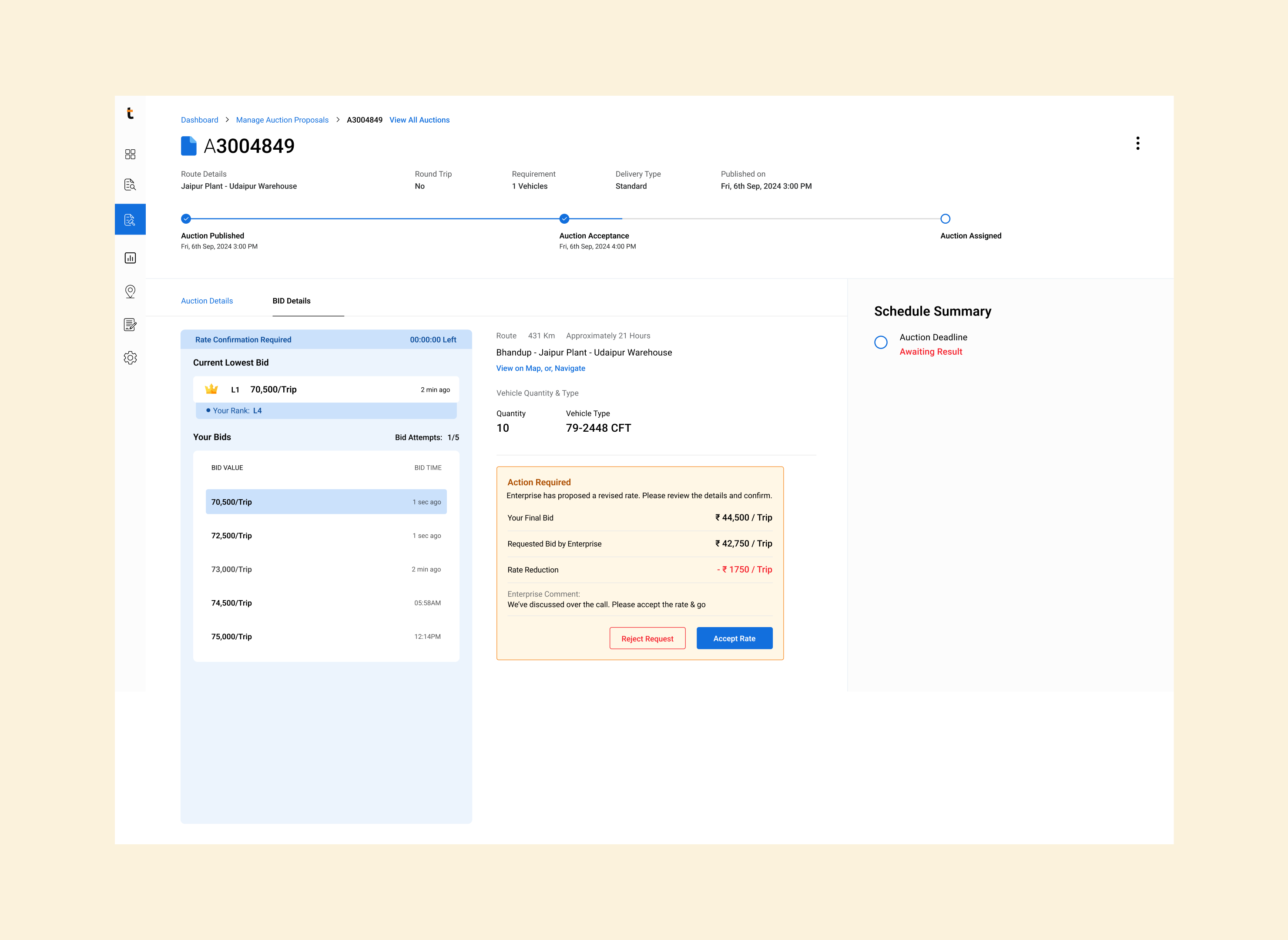
Dropped: the transporter accepts the revised rate
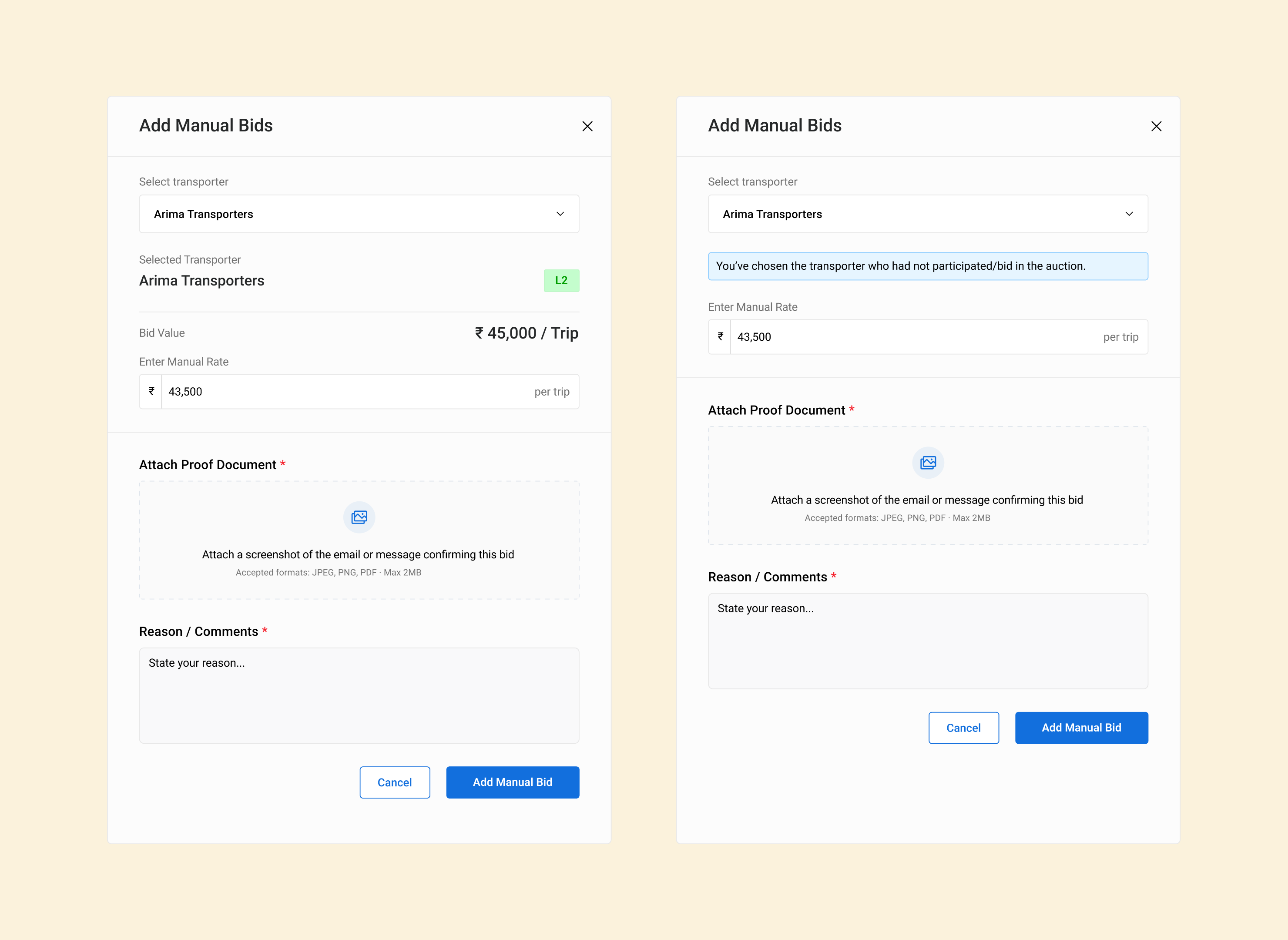
Shipped: Add Manual Bid, with a proof document and a reason
Not live yet
Lowest bid → approved bid
No measured impact yet. Here’s what changes once it rolls out.
| Before | After | |
| Awarding a spot bid | The lowest bidder gets it automatically | It goes through an approval chain set per site |
| Who can be awarded | Auction bidders only | Any transporter, backed by proof |
| Changing the decision | No approval step | Return creates a traceable revision |
| Record of the decision | Only the auction result | Activity timeline and revisions |
What it taught me
Comparison needs room, not a side sheet
An approval is a comparison. If the screen can’t show the alternatives, the approver is just signing off on a number.
Match the new step to how the enterprise already works offline
Before adding a step, check how people already confirm the same thing offline. Reusing their existing proof was faster than inventing a new confirmation.
Next case study
Laps
A stopwatch for structured routines and freeform runs, designed and built solo end-to-end