Auctions worth crores were running on someone else’s platform
I designed Taabi Procure so enterprises could run their own auctions, for their procurement teams and their vendors.
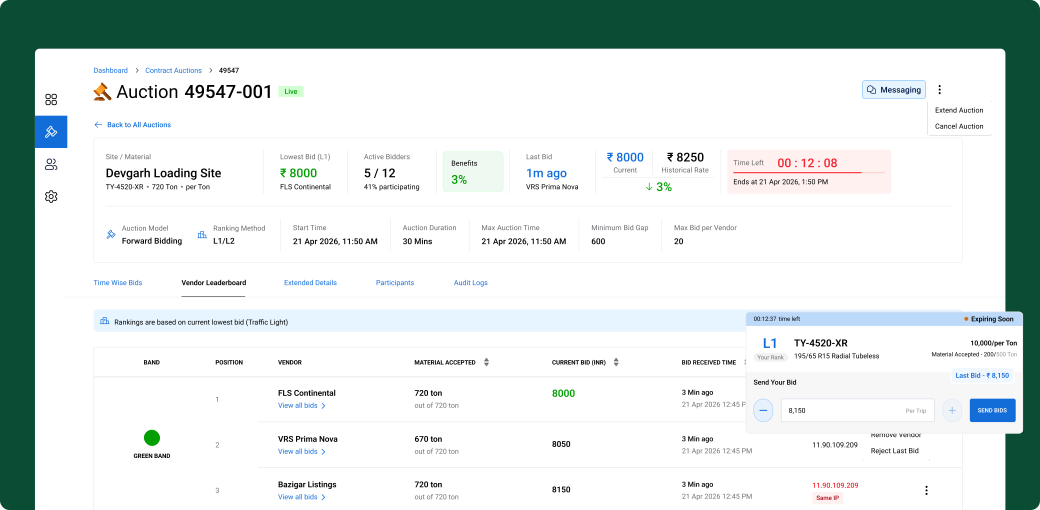
| Product strategy | Took the product from 0 to 1 with the PM, shaping what to build and for whom |
|---|---|
| End-to-end design | Every screen for both sides: dashboard, auction creation, live monitoring, bid history and the vendor bidding experience |
| Design system | Extended the design system I built for Taabi TMS to cover Procure |
Every auction went through someone else’s platform
Taabi builds logistics software for enterprises, and our transport platform, Taabi TMS, already ran freight auctions. Then an enterprise’s procurement team came to us. They run auctions to buy materials, where vendors bid the price down, and to sell them.
Before Taabi Procure, a single auction looked like this:
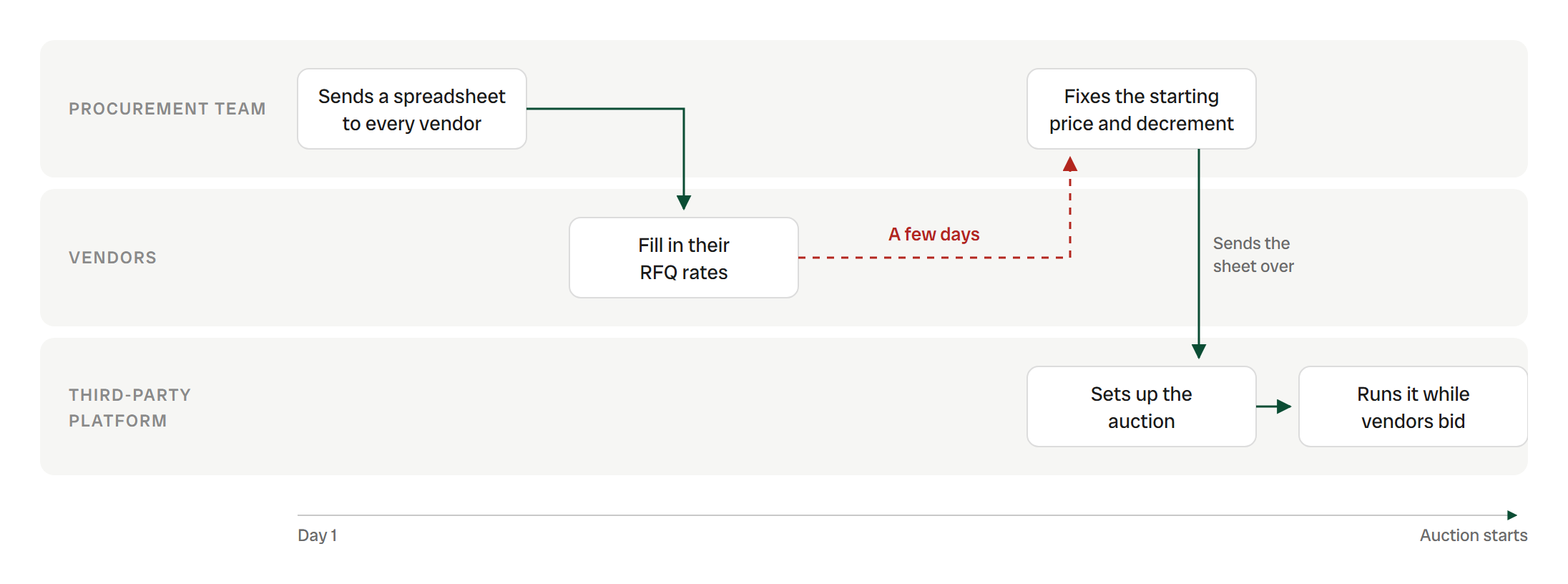
Days of back-and-forth between three parties, before the first bid
That left the team with four problems:
No access to set up their own auctions
No real-time visibility
Limited auditability
High coordination overhead
We showed them our freight auction, relabelled
What we built
Our freight auction from Taabi TMS with new labels and text, so we could put something in front of the team fast.
What we saw
Vendors couldn’t tell where they stood. The manage screen was cluttered. No final report, no audit logs.
Insight
Reuse got us feedback fast. Material auctions needed their own rules.
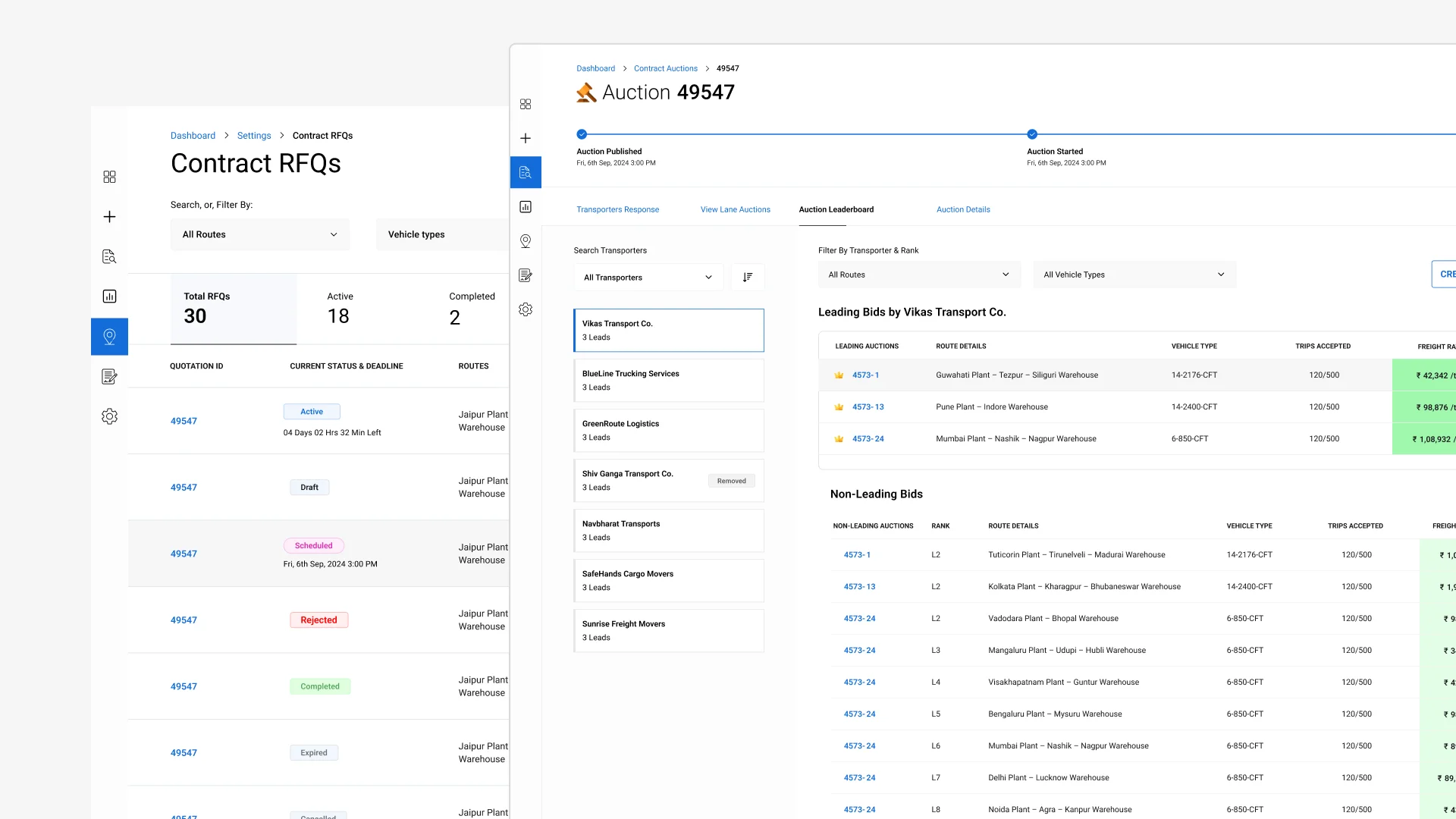
V1: the relabelled freight auction we showed the procurement team
One live auction. Four rules.
Later, we sat in on a live auction the procurement team ran on the third-party platform. Four things stood out.
| What we learned | What it became |
| Enterprises need control, and every auction setup differs | A step-by-step setup the team runs themselves |
|---|---|
| Each vendor may start from their own quotation | A starting price per vendor, chosen in Step 1 of setup |
| Communication should stay in-platform | Messaging |
| Anti-collusion and audit trails matter | IP conflict detection and audit logs |
Flow first, screens second
After the live auction, the PM and I worked out the flow before any screens. Our first pass put the whole setup on two long pages.
Every site and material gets its own child auction
Instead of
One auction with a single starting price and bid gap.
Because
Materials don’t share a price, a unit or a bid step. Rubber trades per ton, flaps per piece.
What it changed
One setup for the whole event, while each child auction runs on its own timer, leaderboard and L1.
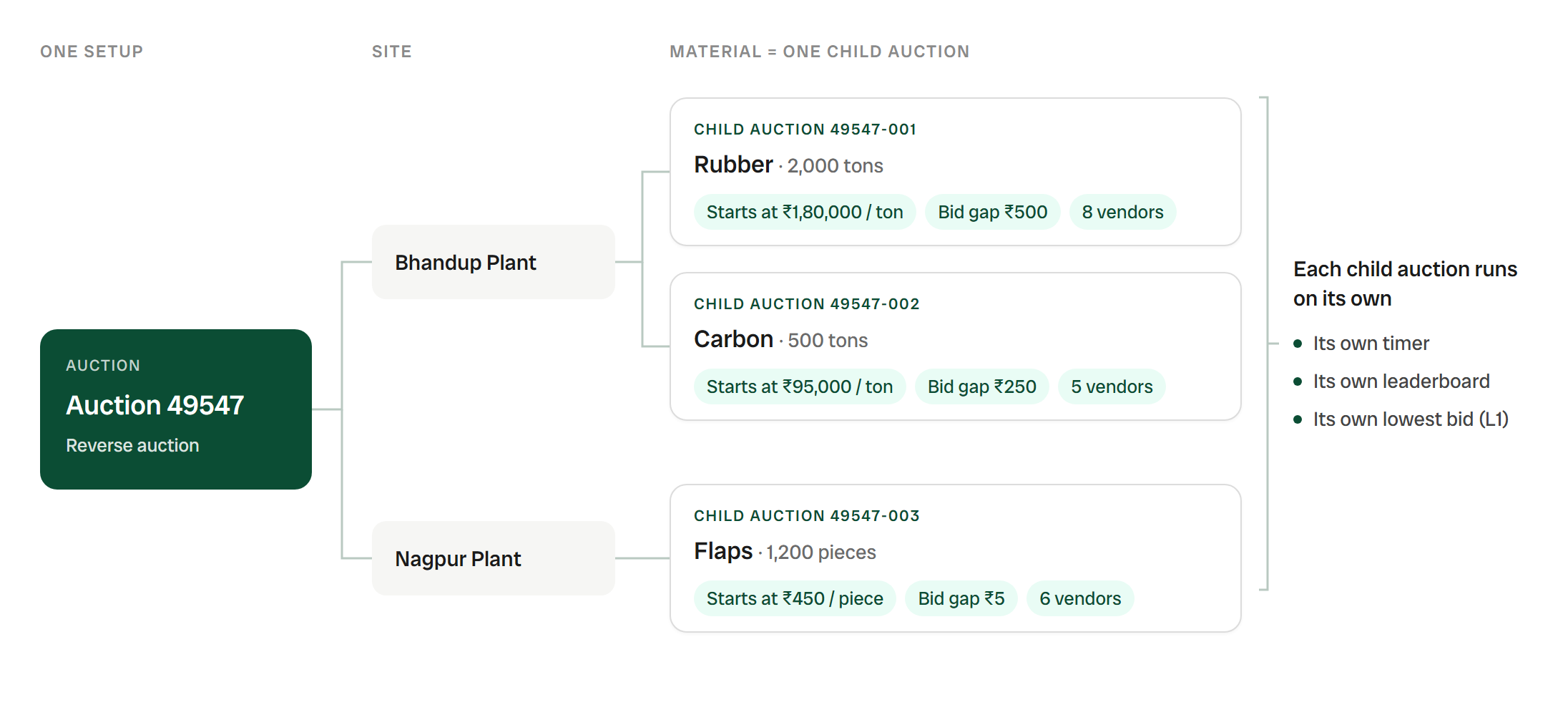
One setup, three child auctions, each priced in its own unit
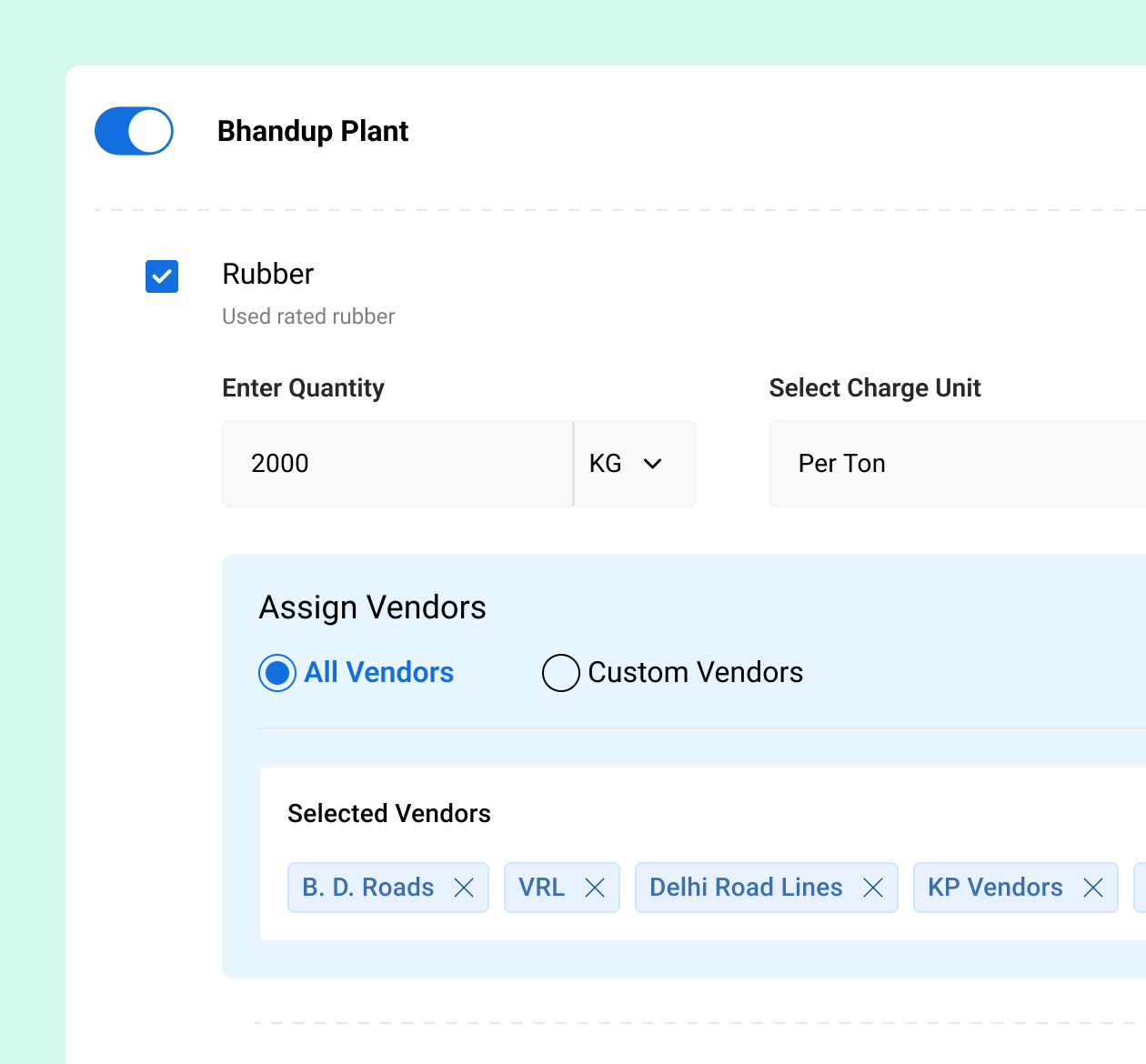
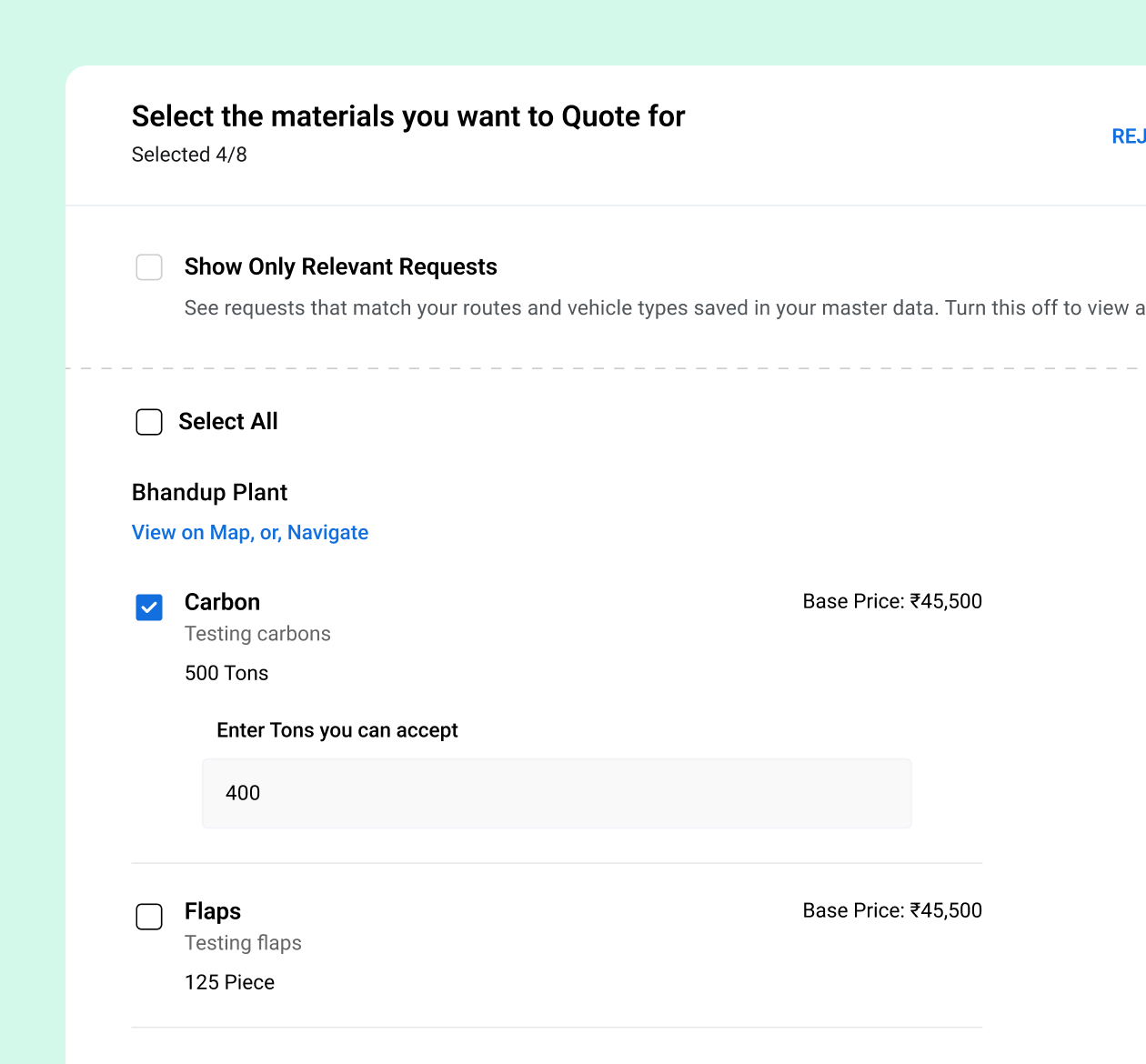
Vendors are invited per material, and choose what they bid on
Instead of
Sending the whole auction to every vendor.
Because
No point inviting a vendor who doesn’t supply it, and one who does may not want to bid this time.
What it changed
The team invites only relevant vendors. Vendors tick what they’ll bid on, and how much they can supply.
Setup became 7 short steps, one decision each
Instead of
Two long pages that held every setting at once.
Because
Nobody could tell what to do next, and every material needed its own price and bid gap.
What it changed
Pricing first, then timing, rates and a final check. Each step does one thing.
2 long pages 7 short steps
- Before · 2 long pages
- Page 1
- Page 2
- After · 7 steps
- Step 1 of 7
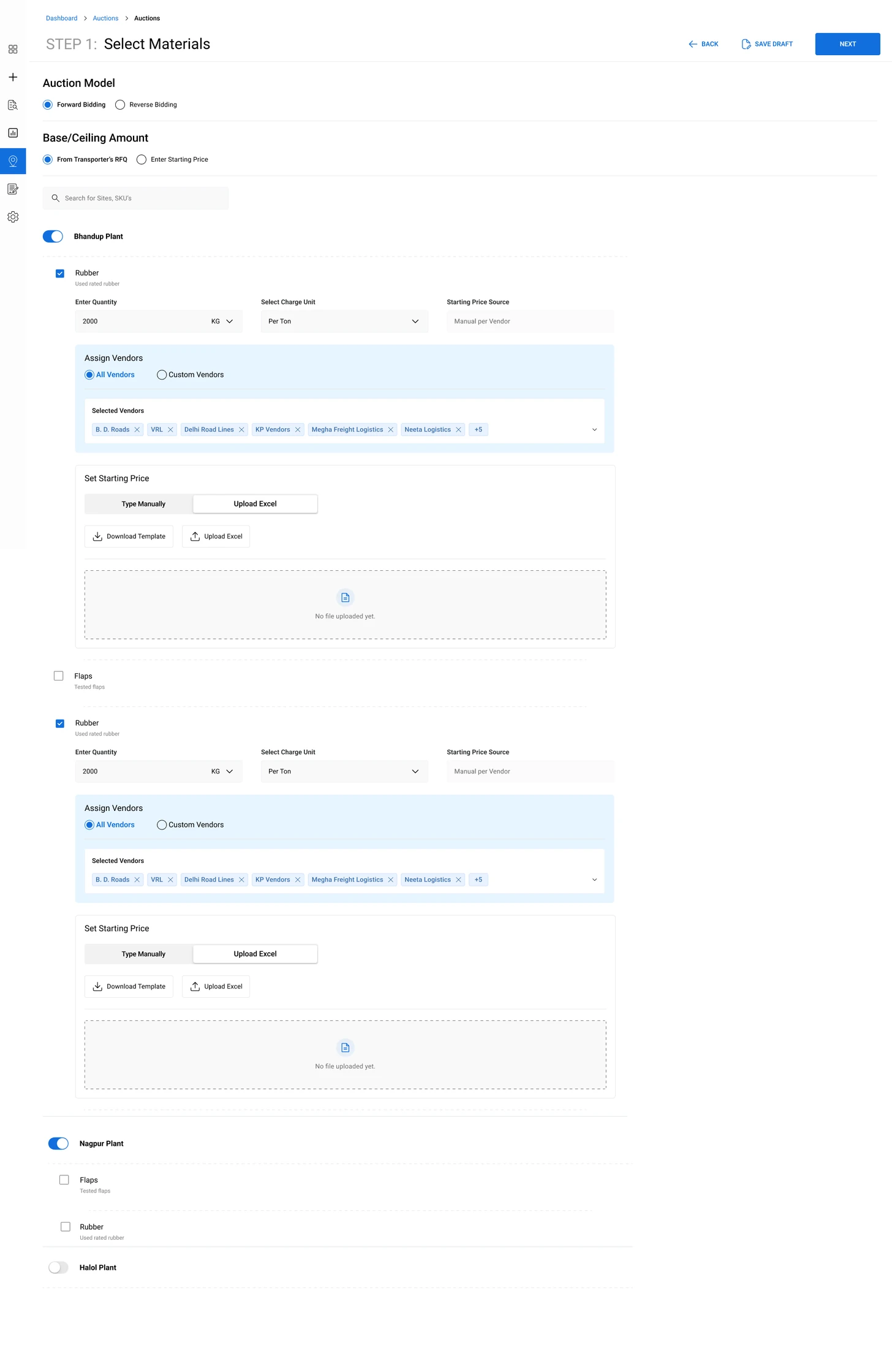
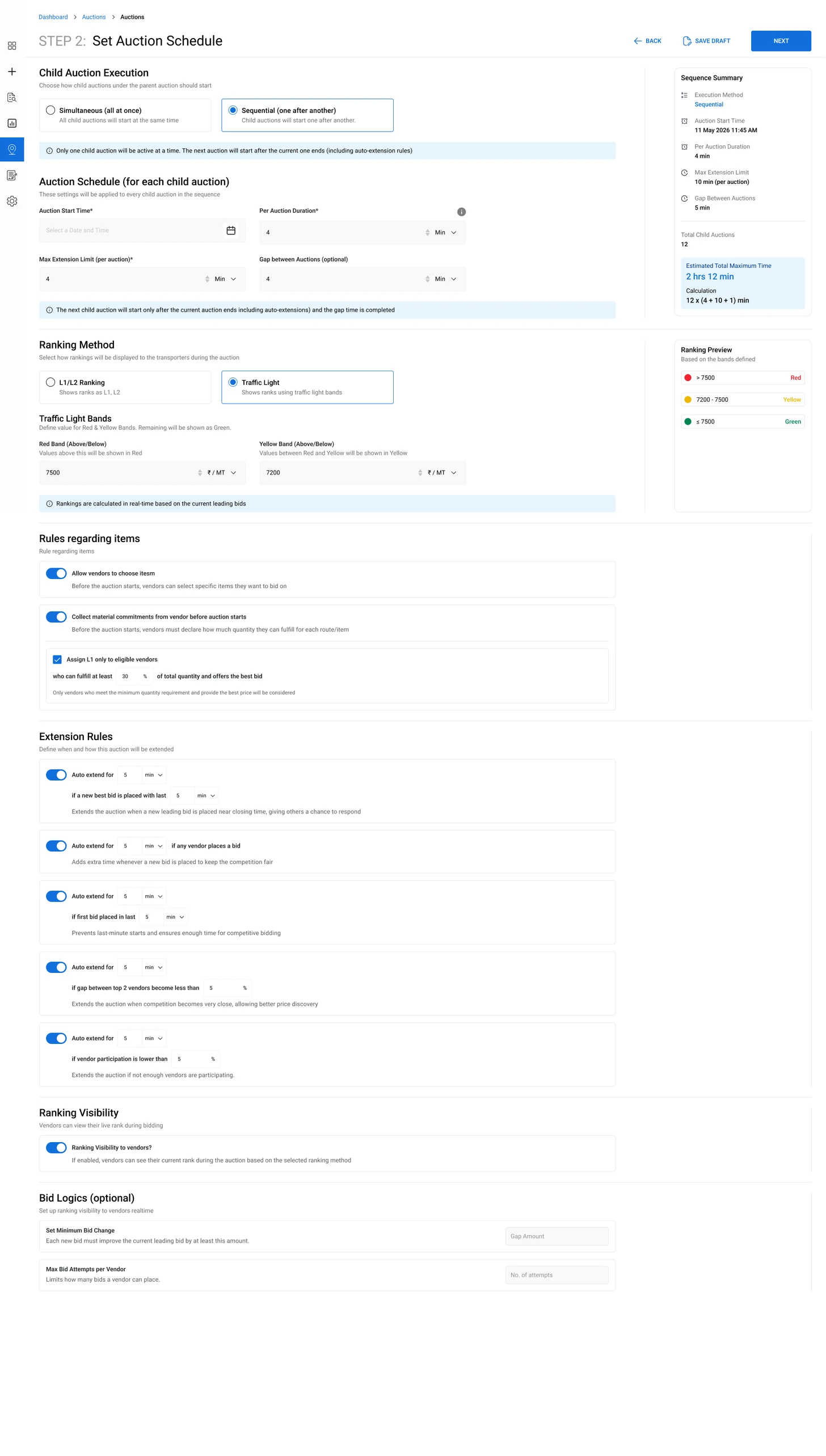
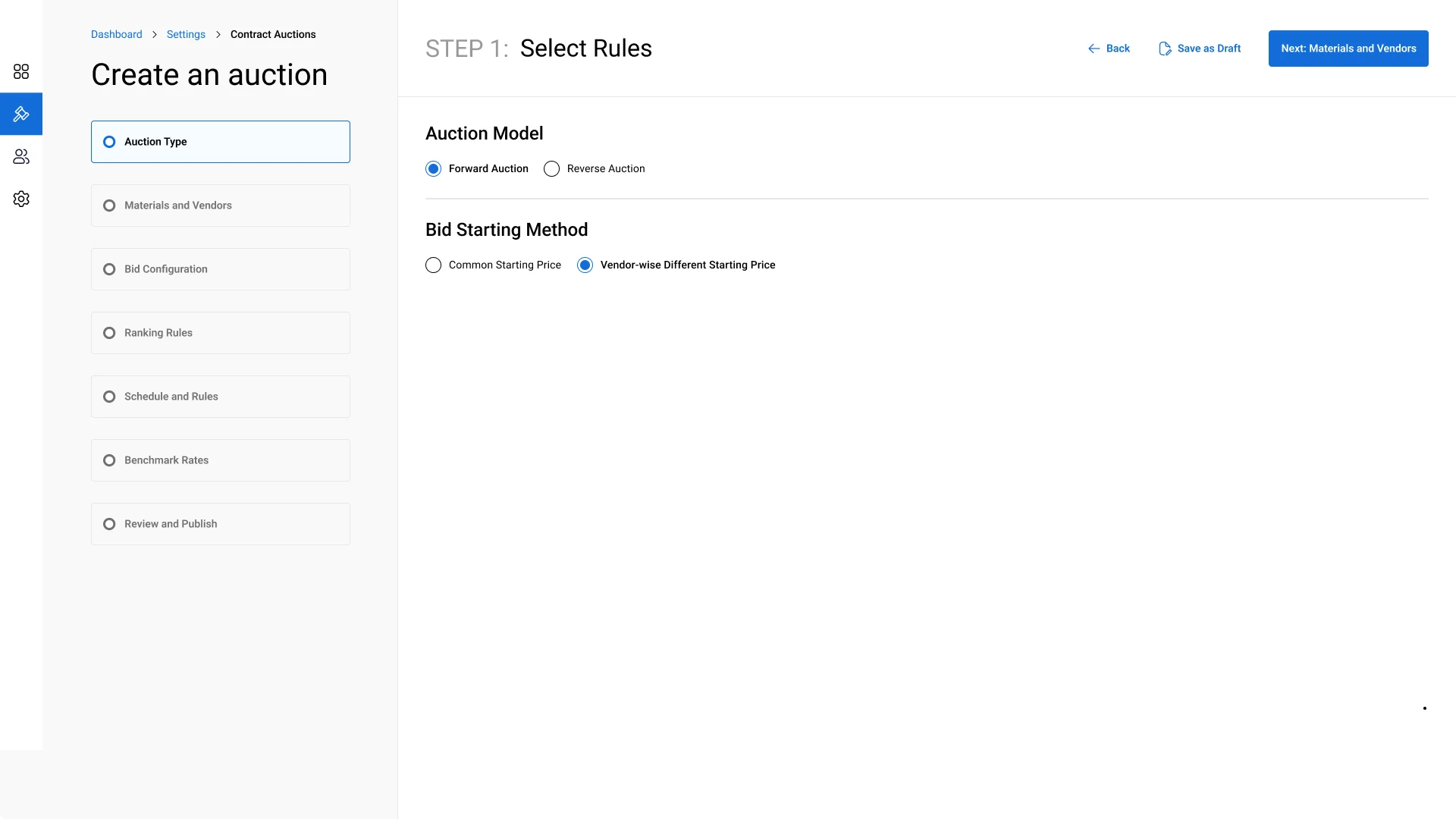
Page 1 held the auction model, the price source, and every site, material, vendor and starting price.
The final steps
Step 1: Auction type, and whether vendors share one starting price or start from their own
- Step 1: Auction type, and whether vendors share one starting price or start from their own
- Step 2: Materials and vendors, site by site, each material with its own starting price and bid gap
- Step 3: Each vendor’s starting price, material by material, typed in or bulk uploaded
- Step 4: Ranking rules, in a step of their own
- Step 5: Timing and extension rules, once the pricing is set
- Step 6: Past rates for each material, optional, to compare the bids against
- Step 7: One last check of every rule, material and vendor price before publishing
Two ideas we cut
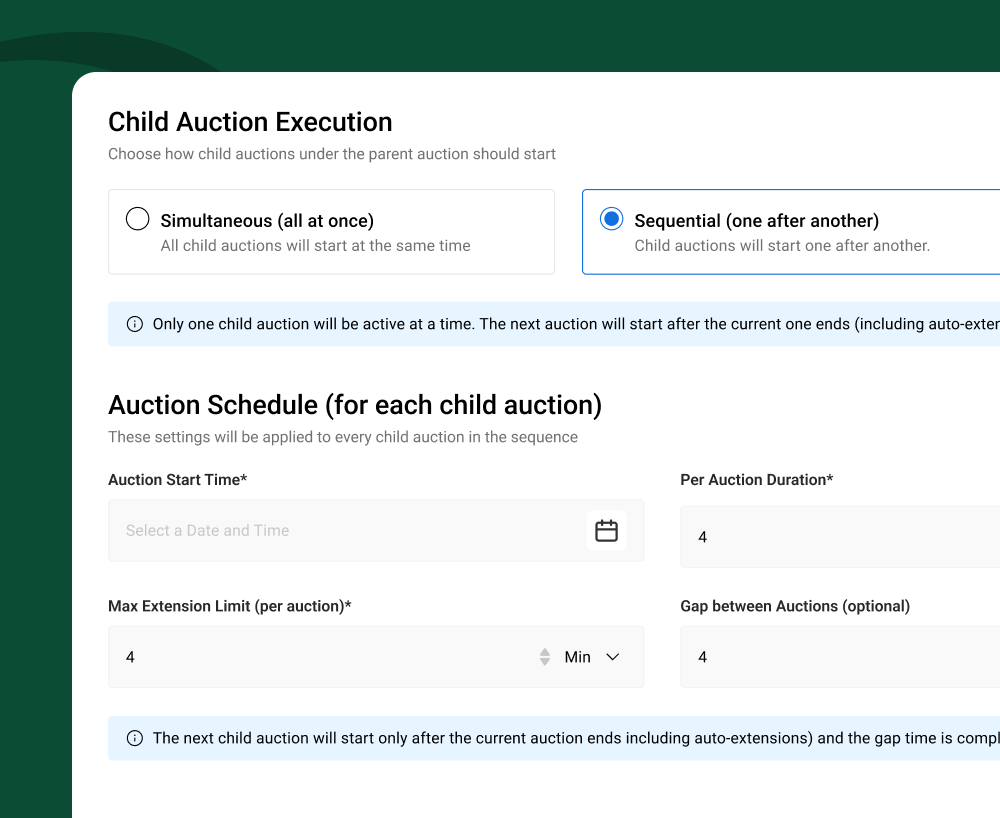
Sequential auctions
The idea
Run child auctions one after another, each starting when the previous one ends.
Why we dropped it
Child auctions could end early or run late, so start times kept shifting and vendors could miss theirs. We kept simultaneous only.
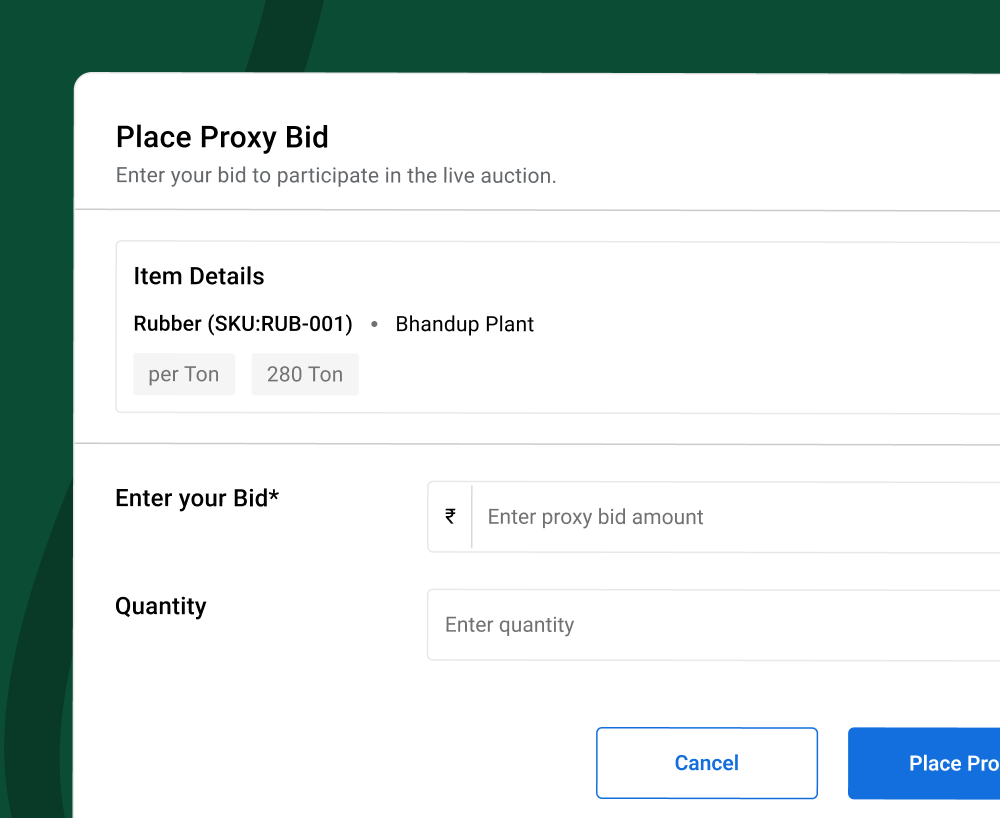
Proxy bid
The idea
The enterprise places an anonymous bid so vendors keep competing without knowing who moved the ranking.
Why we dropped it
An auction runs on trust. Vendors need to know every bid comes from a real competitor, and a hidden enterprise bid would break that.
Watch every auction as it runs
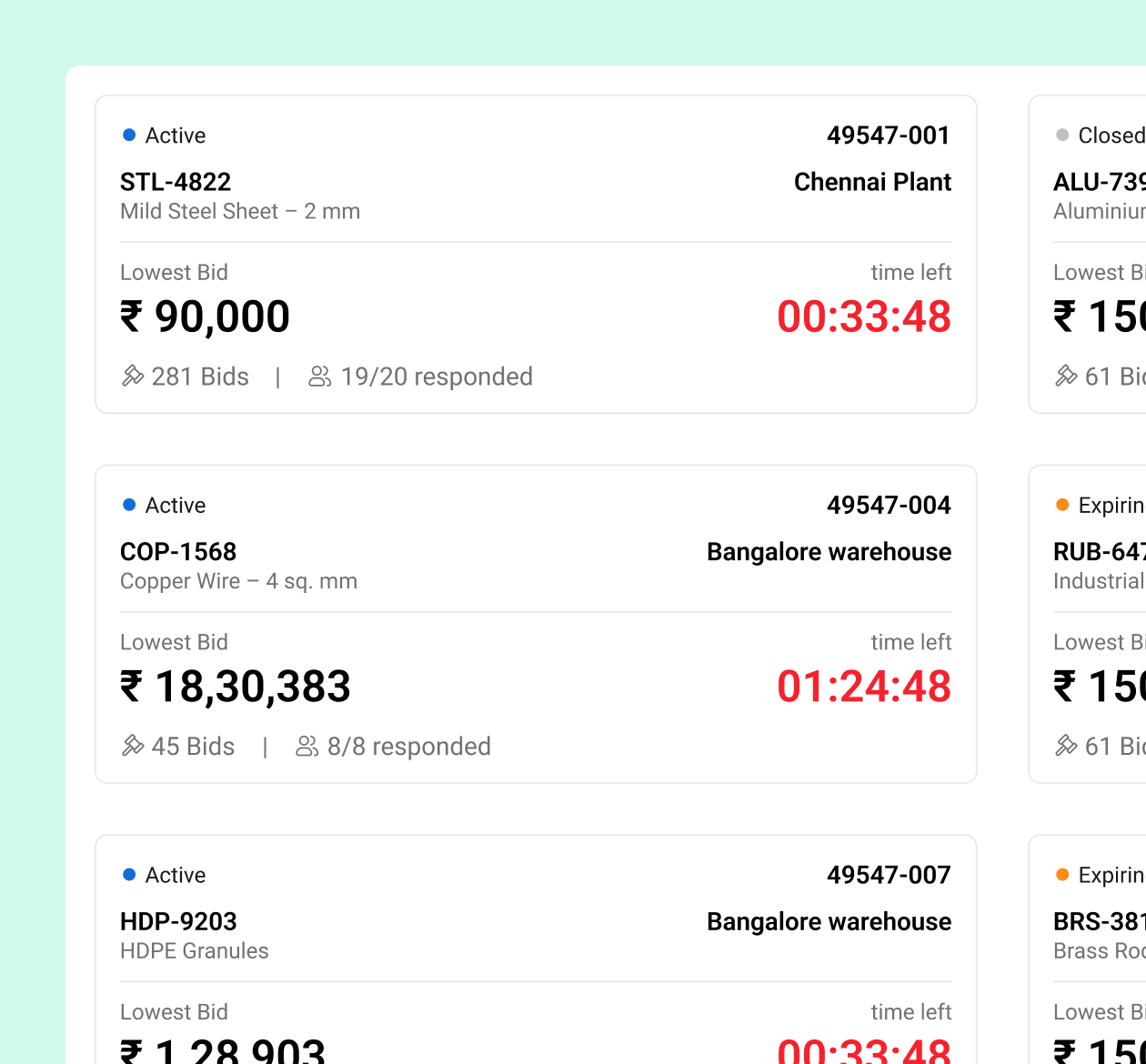
Multiple auctions
Every child auction gets its own card: the material, the site, the lowest bid, the time left, bids received and how many vendors responded.
Tabs experience
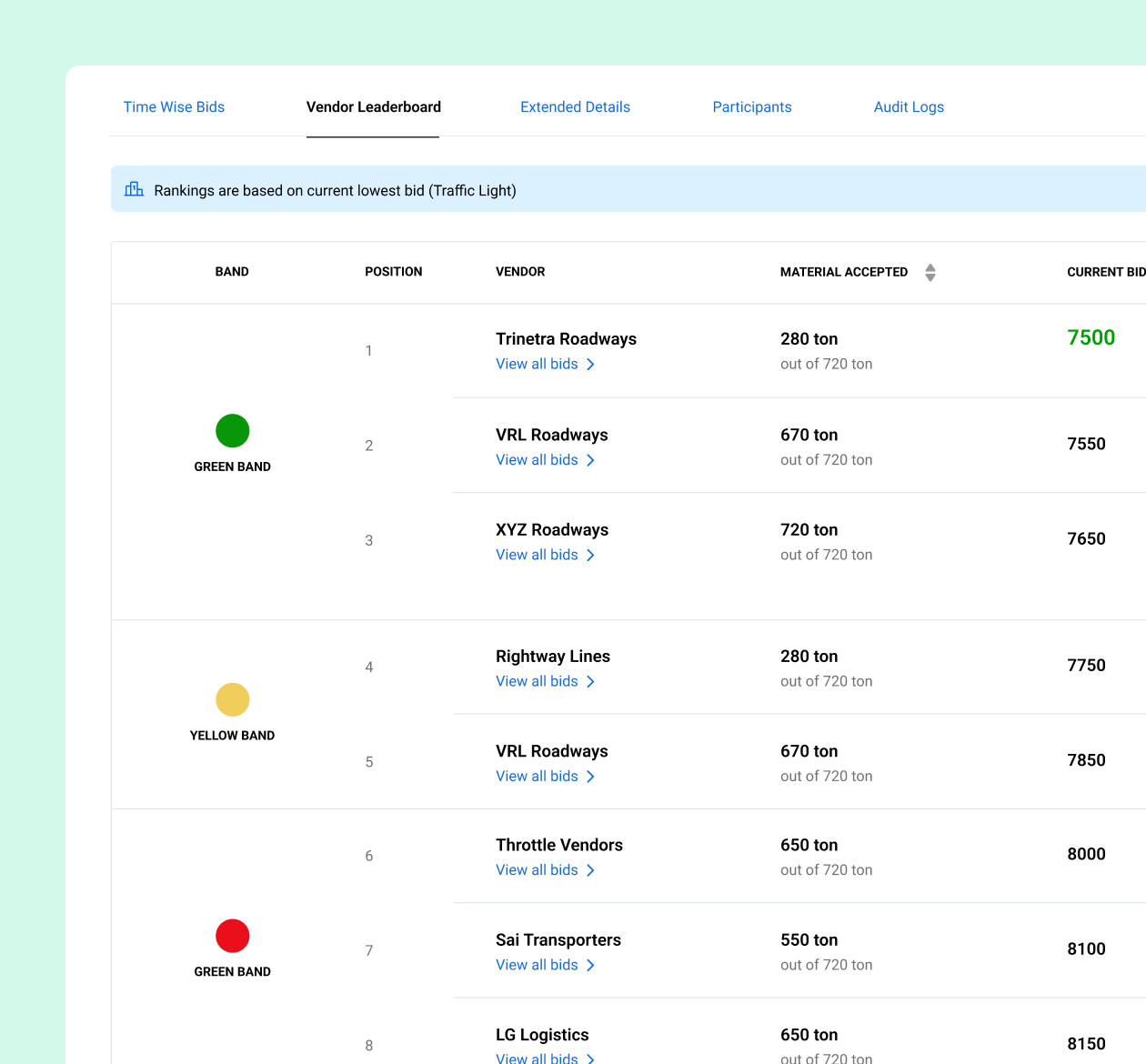
Opening a card keeps the auction’s details on top, with five tabs below: time-wise bids, vendor leaderboard, extended details, participants and audit logs.

Bid history
Clicking a vendor on the leaderboard opens their bids in a side sheet: every amount with its time and IP, and a bid summary.
Know your rank at a glance
Once they’ve picked their materials, vendors bid from one page, with a card for each child auction, grouped by site. Each card shows their rank or band, the current L1 rate, their last bid, the material and the charge unit.
Messages and collusion alerts, inside the auction
Messaging
From research: communication should stay in-platform
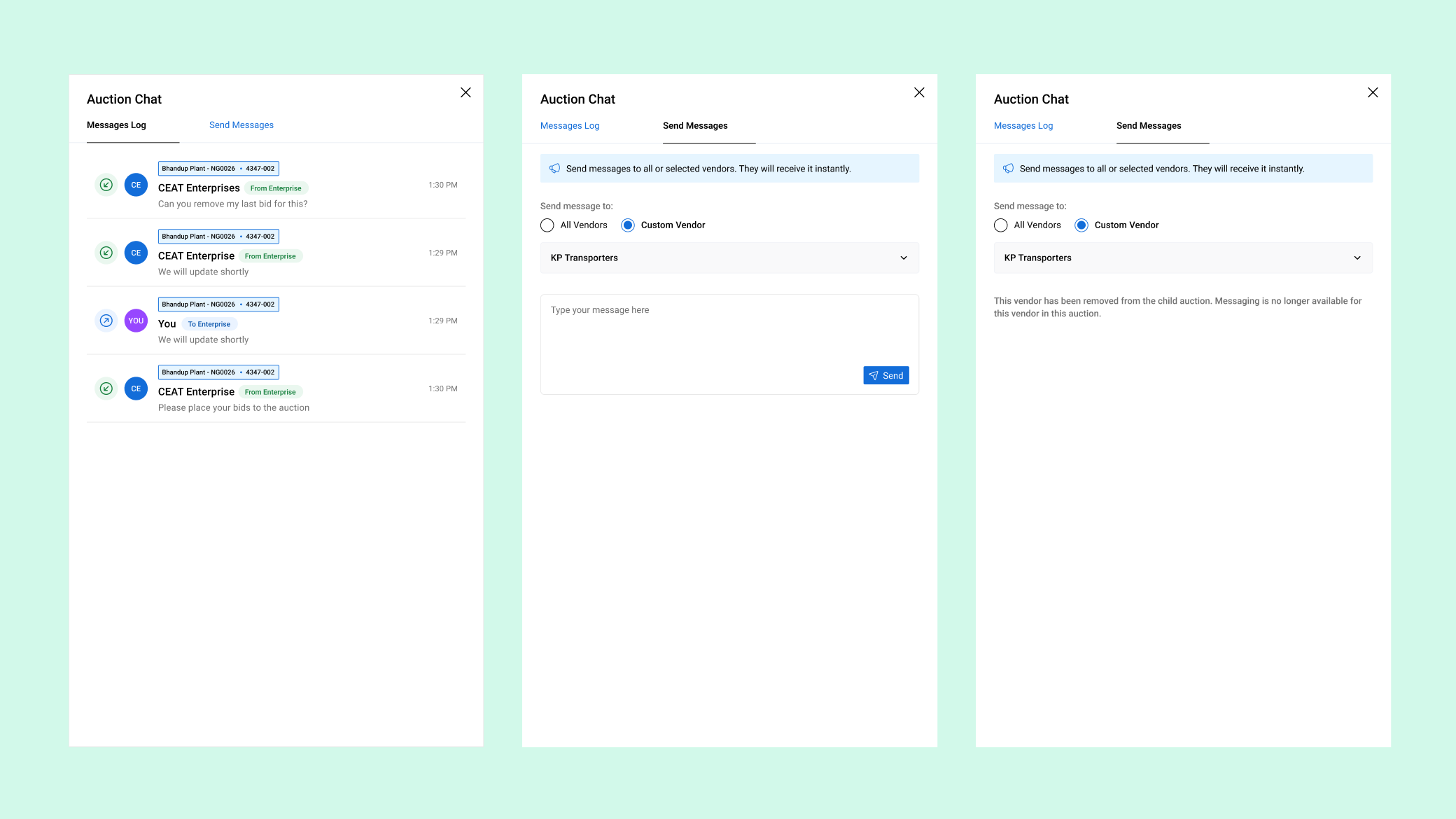
The team can message one vendor or broadcast to all of them. Messages stay short and simple.
Vendors pick the child auction before they write, so every message lands on the right auction.
IP conflict detection
From research: anti-collusion and audit trails matter
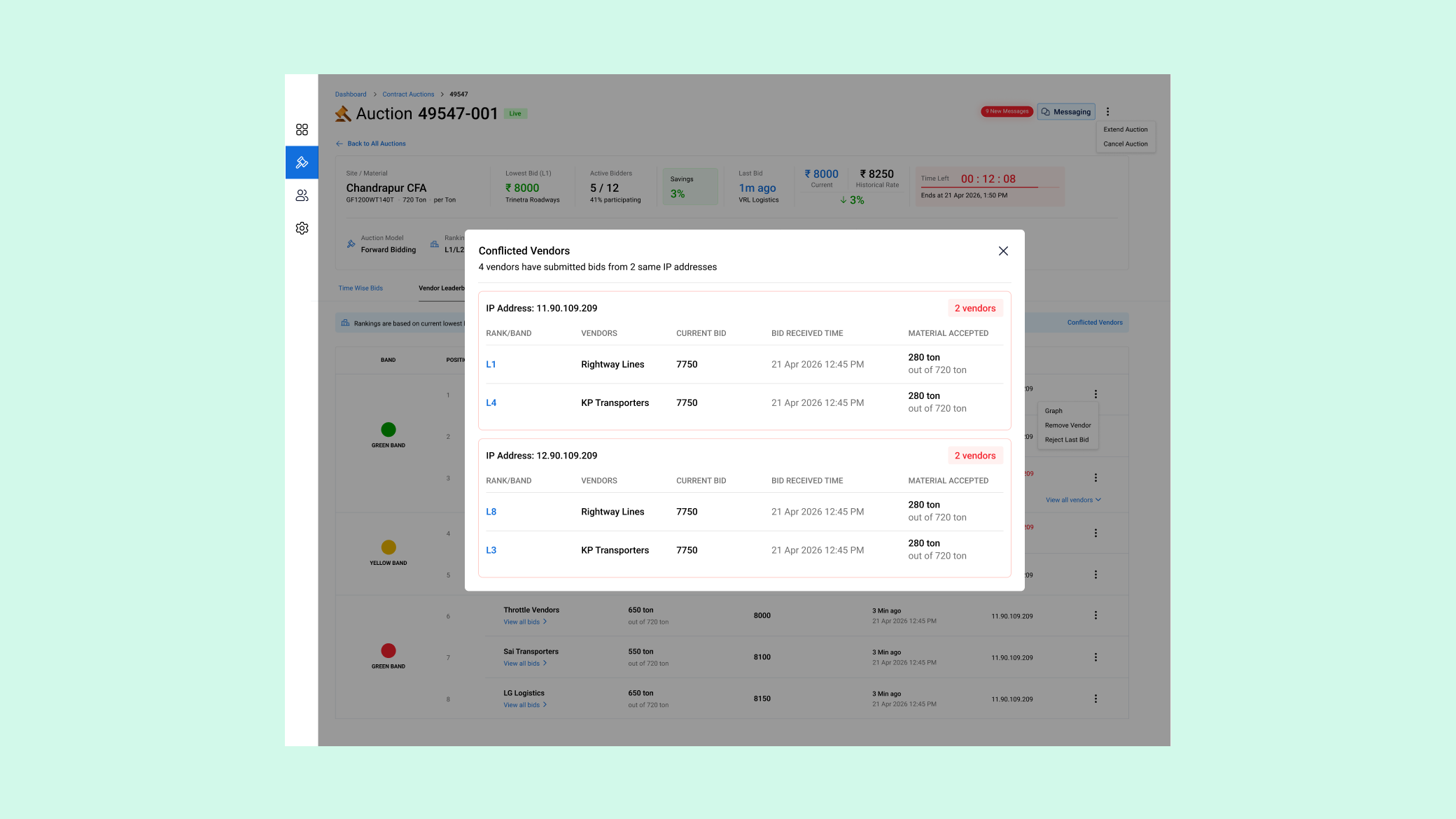
The platform flags vendors bidding from the same IP, a common sign of collusion, while the auction is still running. In the pilot, it caught two vendors.
The pilot
Days → a few hours
Setup takes about 5 minutes now, and the auction wraps up in a few hours.
| Before | With Taabi Procure | |
| Visibility | No real-time view of bids or ranks | Live rankings and bid history |
| Audit | No records | Full bid trail, in-platform messages, and a report when it ends |
| Collusion | Invisible | Same-IP vendors flagged during the auction |
What vendors told us after the pilot
Much simpler than [the big procurement platforms].
The messaging option wasn’t there on other platforms. We had to call or mail.
From approved RFQ to live auction, in one step
Status: Under dev
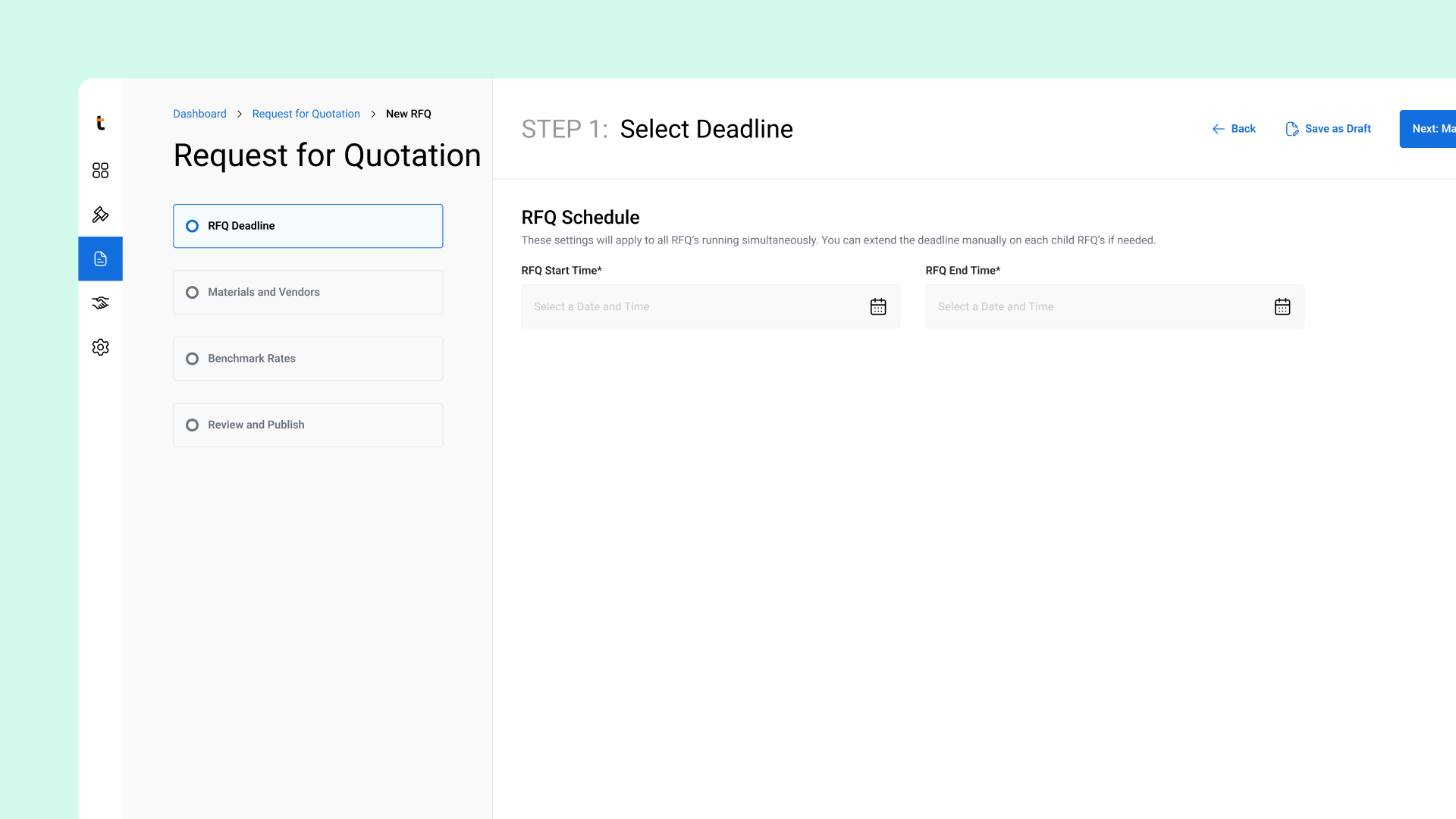
An RFQ, or request for quotation, is where vendors send their prices before an auction starts. An approved RFQ will turn straight into an auction, carrying over materials, vendors, pricing and rules. No re-entering data, and faster setup.
What it taught me
When I design for one side, I have to think about the other
Ranking visibility, timing and messages had to work for both sides, so I designed the two experiences together.
Options only help when they come in the right order
The same settings felt hard on two long pages and simple across 7 ordered steps. Giving people options wasn’t enough. I had to give them a sequence.
Next case study
Vehicle Gate-in
Every last-minute driver change became a support ticket